If you are working on SEO or Google Ads for your business, then there is one thing you need to know. People don’t search for everything like they used to.
This means that people no longer just go to Google for all the information. The number of searches has increased a lot more than before. But the medium of searching has changed.
Now people are using AI (artificial intelligence) a lot to get answers to their questions.
Among all AIs, OpenAI’s ChatGPT is the most popular. This site receives about 5.6 to 6.4 billion visits every month. Because of this huge number, ChatGPT is now the best in the AI world.
Here’s the greatest part! ChatGPT wants to leverage their huge traffic or visitors. And for this, they have come up with ChatGPT Ads.
Now you can run ads for your business through ChatGPT whenever you want.
So in today’s article, we will show you how to create and set up a ChatGPT Ads account. But before the starting of ChatGPT Ads account creation, let’s find out in which countries ChatGPT Ads are currently running.
Don’t worry; in the future, when your country is added to this list, then you can also take the benefits. But yes, the way of the ChatGPT ads account creation will be the same.
ChatGPT Ads are now available in this country
ChatGPT Ads is not working worldwide at the moment. They are currently working in only 5 countries. These countries are:
- USA (America)
- UK
- Canada.
- Australia.
- New Zealand.
So that’s why at the time you can’t run ads from your own location if you are not from this country. But if you want, you can easily run your ads in these 5 countries.
However, you may face some problems while creating an account. If there is any problem, you can use a VPN. By turning on the VPN and using a location from these five countries, you can create your account properly.
But as far as we know, ChatGPT Ads will be fully launched in 5 more countries very soon.
Anyway, this is not the main topic of our discussion. The main topic of our article today is creating a ChatGPT Ads account.
So let’s start the main work slowly. Let’s see how we can create and set up the account beautifully.
ChatGPT ads account Creation Process
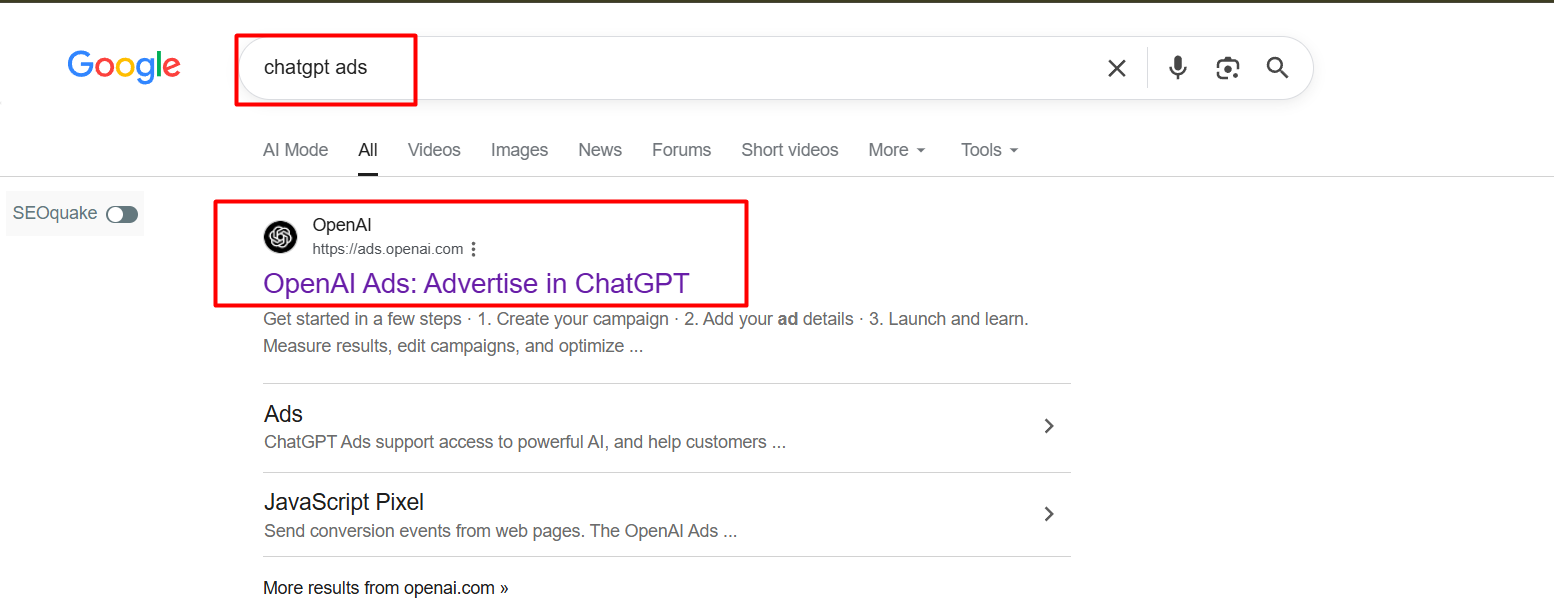
To complete the ChatGPT Ads account creation perfectly, first you have to go to Google and search for “ChatGPT Ads.” You will see a page like a screenshot on the screen.
Or you can also reach the main account creation page by directly entering the link ads.openai.com.
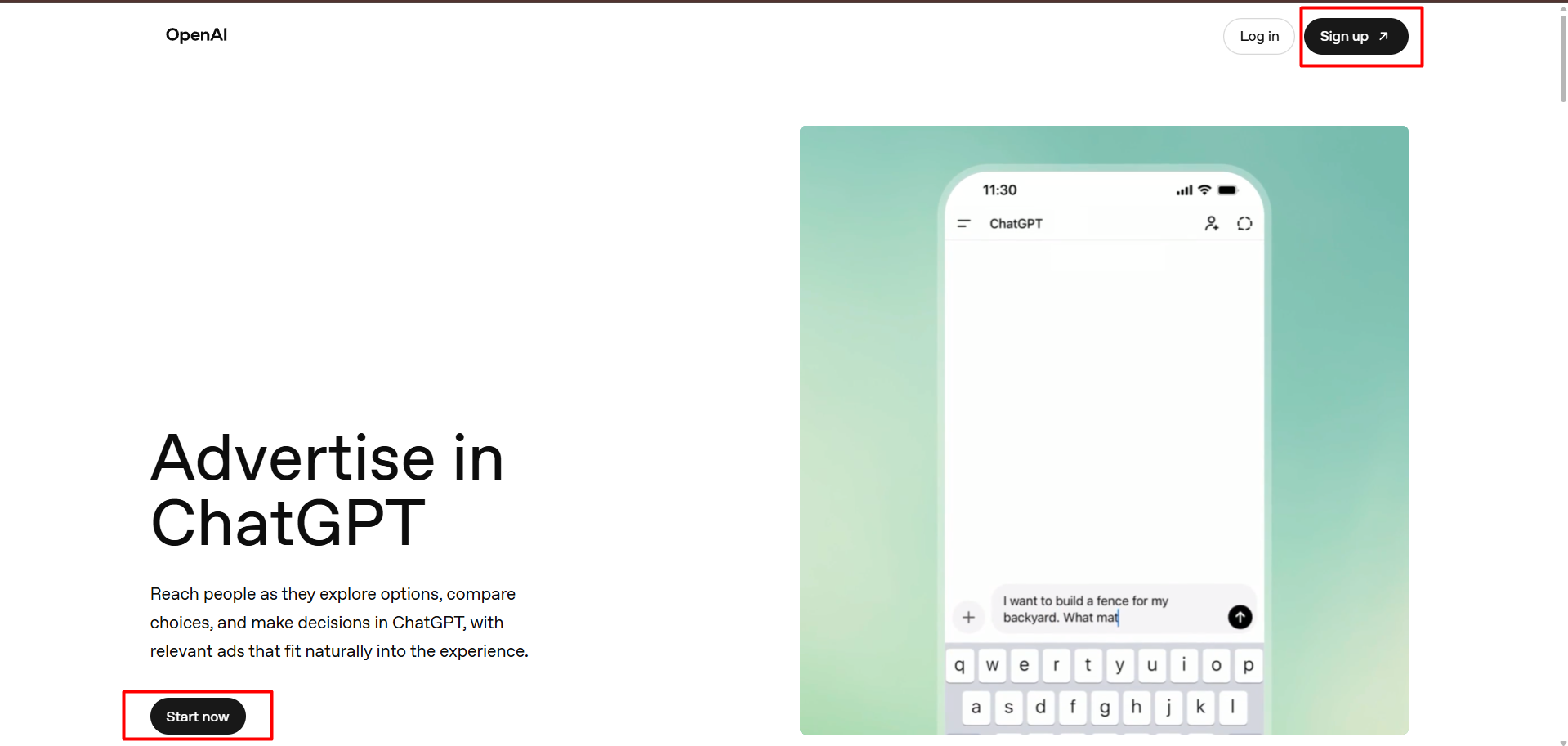
After entering the site, you will see an interface like this, which is shown in the screenshot.
So at the time from here, you can click on the “Start now” button below or the “Sign up” button on the top right to go to the next option of this account creation.
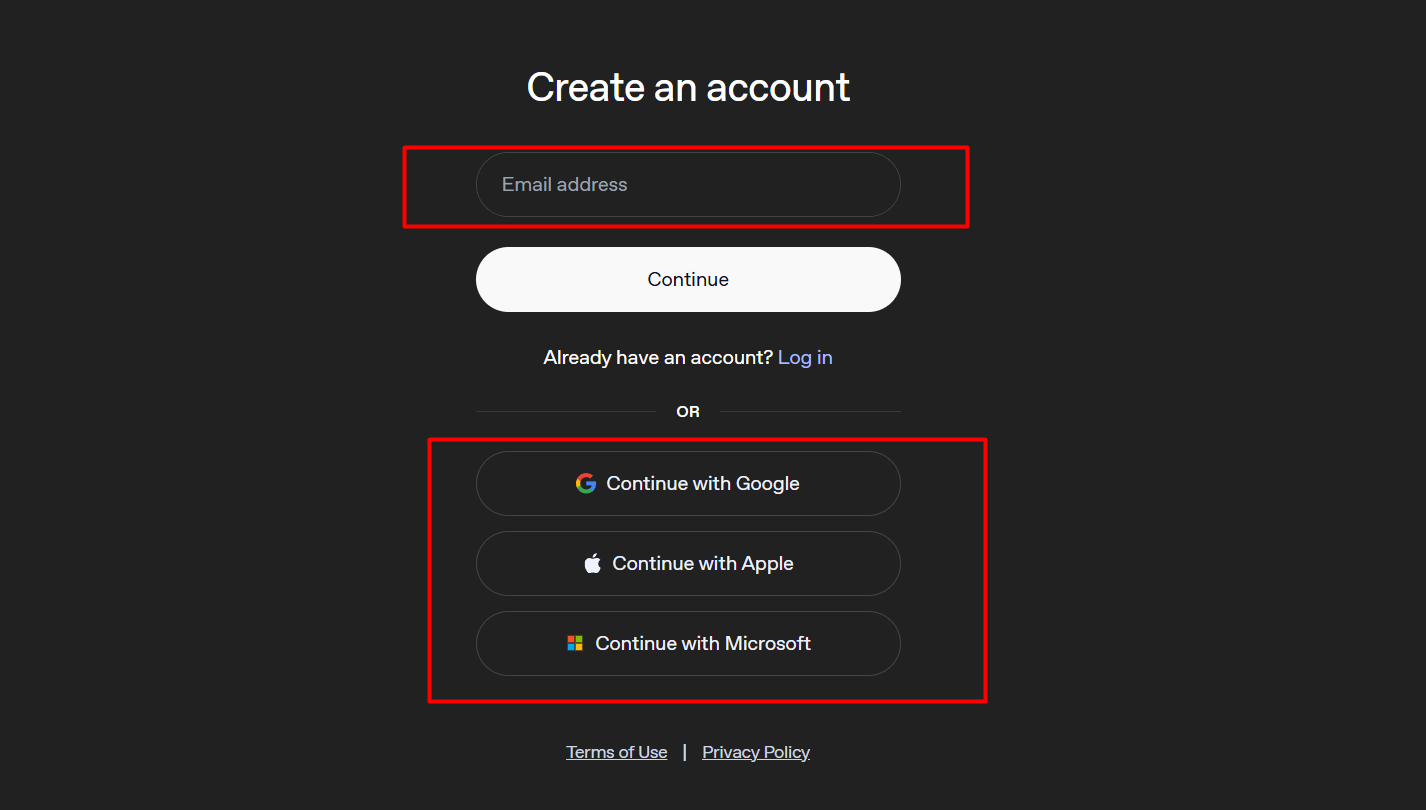
Now you can start ChatGPT Ads account creation from this page, as shown in Screenshot.
You can create an account by entering any of your email addresses. Or you can easily complete your sign-up by directly selecting a Google, Apple, or Microsoft account.
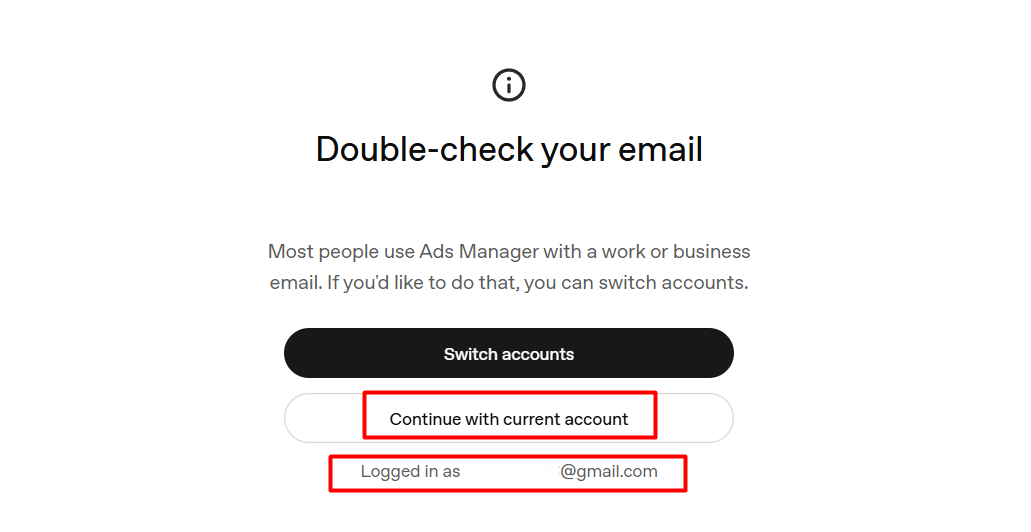
After selecting Google to create the ChatGPT ads account, this page will be in front of you, which you can see in the screenshot.
So here, if you think you have selected the wrong email, then you can go back from this page and select the correct email. The “Switch accounts” button is for this work.
If everything is correct, click the “Continue with current account” button and go to the next page.
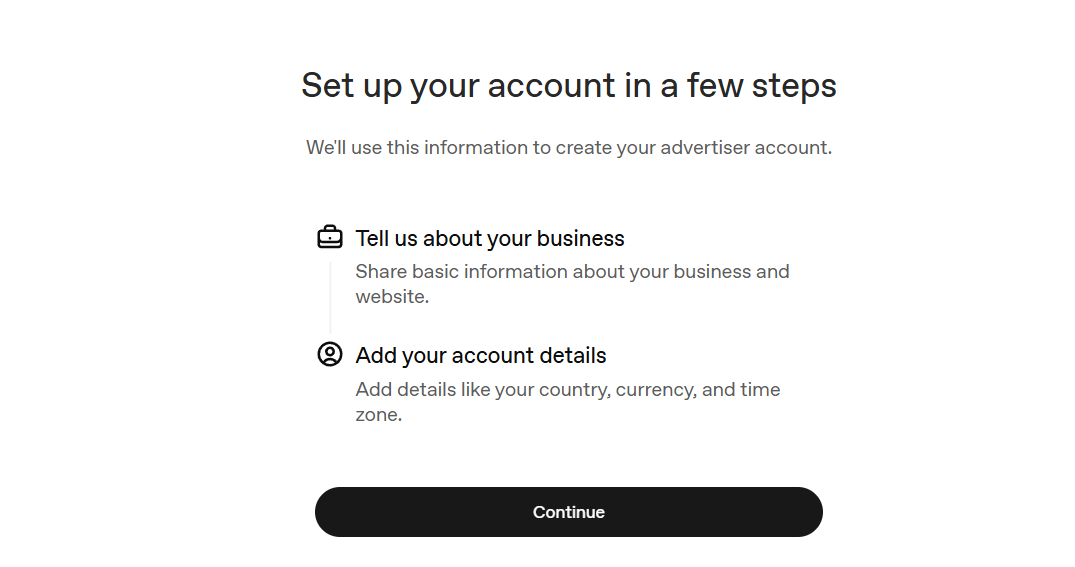
You have nothing to do on this page; click on the continue button.
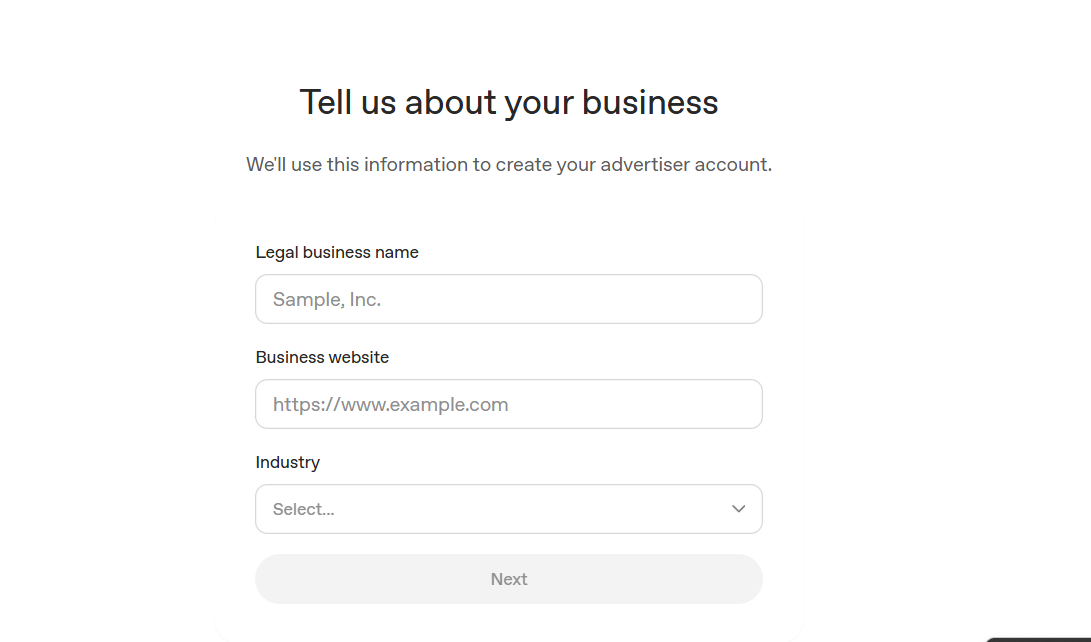
This page is very important. You will see a form like the screenshot on the screen.
Here you have to enter the official name of your business (legal business name). Along with this, you have to give the URL of your business website (Website URL).
Right after this, you have to select your business type or industry.
Final details and the ChatGPT ads account Dashboard
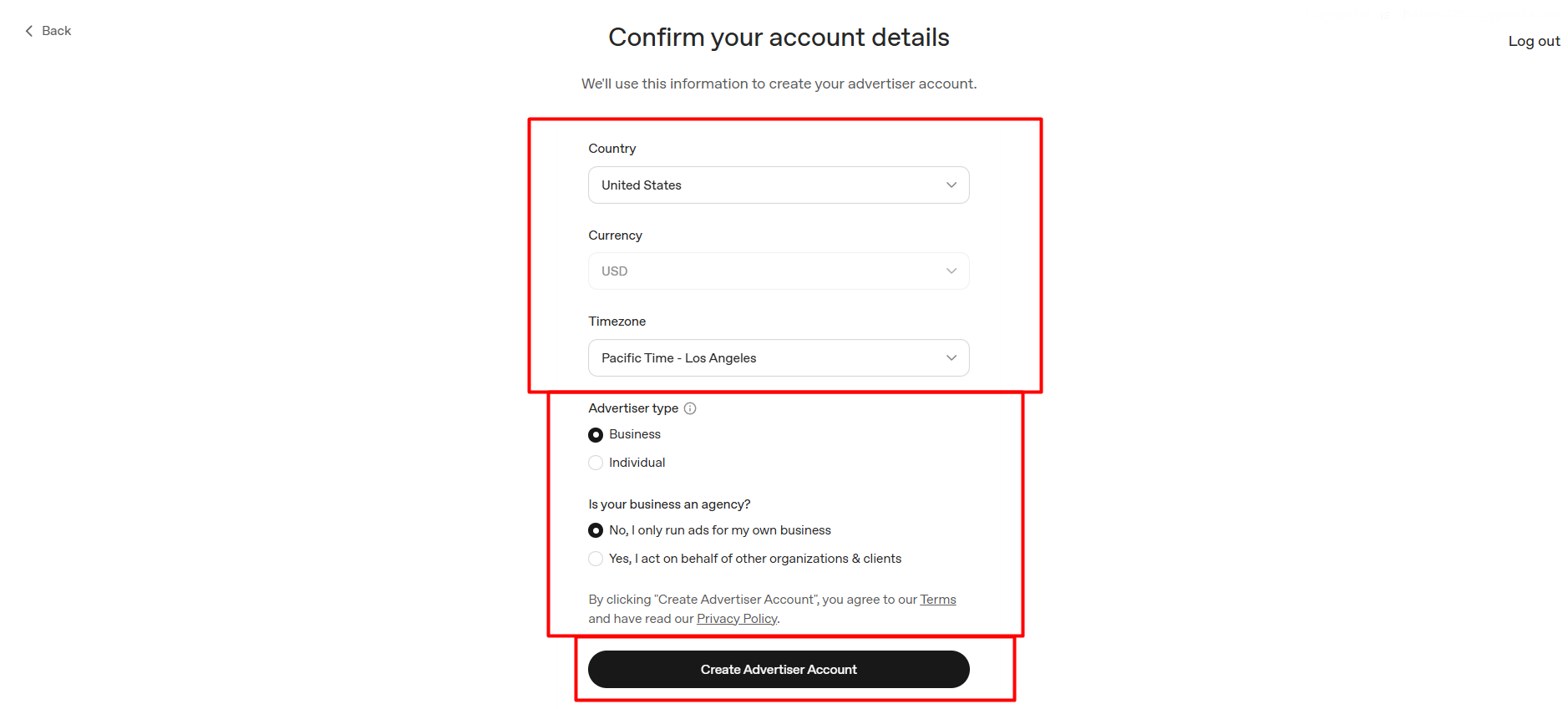
After that comes the final touch or the last step, which you can see in the screenshot. Here you first have to select the country.
As I said at the beginning, ChatGPT Ads are not launched in all countries around the world at the moment. So you have to select a country from this country section where the ad is currently running actively (for example, the United States).
After that, select the currency and then the timezone as per your requirement.
Just below this, select “Business” in the Advertiser type option. Then select “Is your business an agency?” in the option that is for your own business (no, I only run ads for my own business).
Finally, click on the “Create Advertiser Account” button below to create your account.
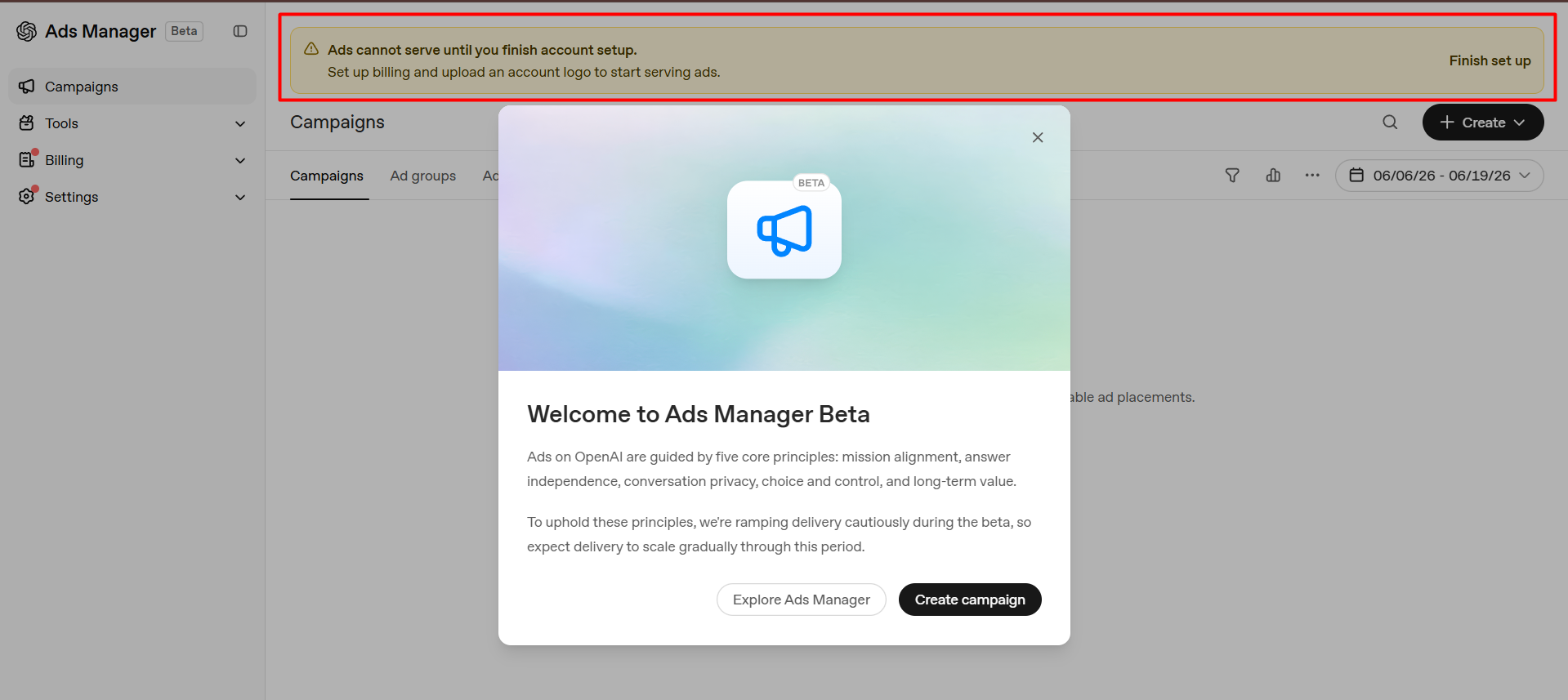
Great! You are welcomed to the ChatGPT Ads Manager dashboard. Here you will see an interface like the screenshot on the screen.
Also, you will see a notice on the dashboard stating that ads cannot be run until the account setup is complete.
So let’s complete the account setup by configuring the remaining required settings.
ChatGPT ads account Final Setup
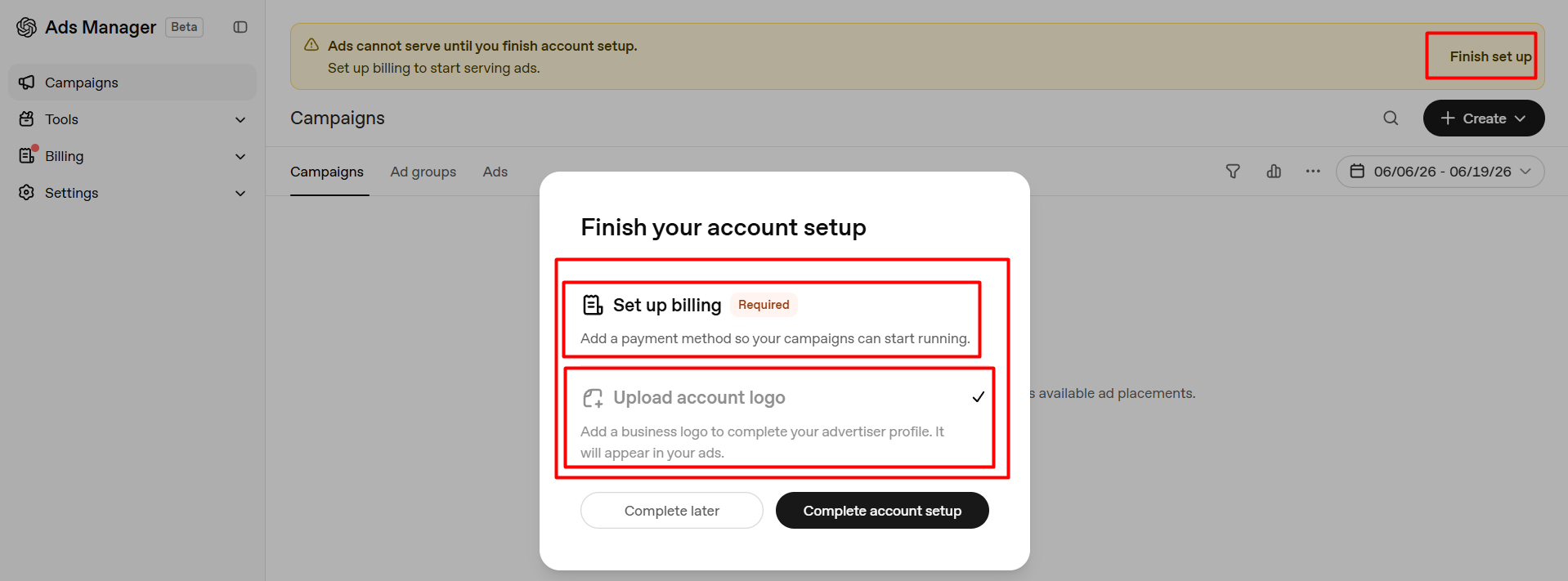
Clicking on the “Finish setup” button at the top of the dashboard will bring up a pop-up, as shown in the screenshot. Here, there are two settings that need to be completed to activate the account.
The first is Billing (set up billing), and the second is Upload account logo (upload account logo).
If you have provided the correct website link of your business in the previous step, the logo section will be automatically completed (as shown by the check mark in the screenshot).
But if not, you can upload the logo from here or from the settings page. Even after uploading the logo, it can be edited at any time in the future.
So, let’s start the main task of billing setup.
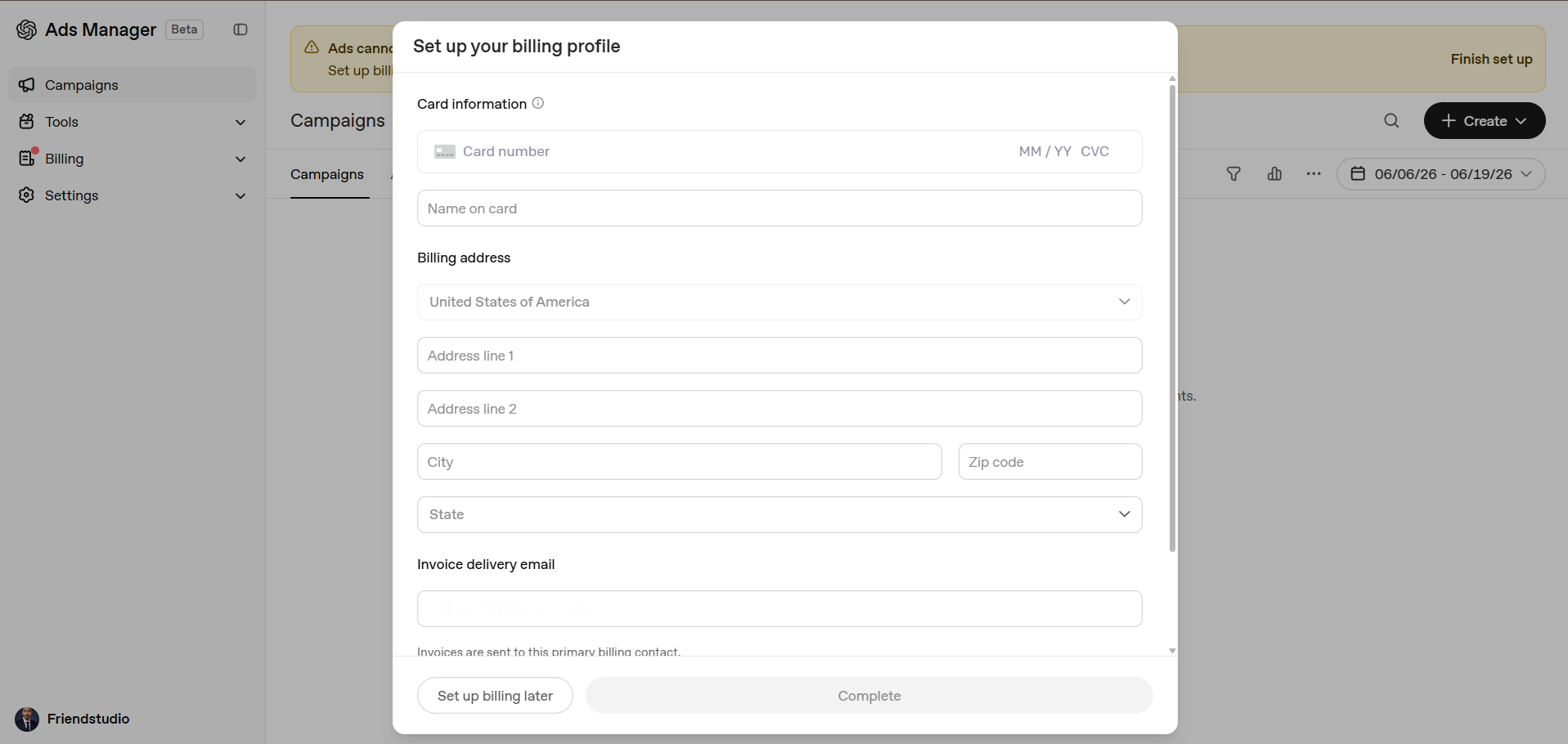
Here on this page you will have to provide your bank details to complete it.
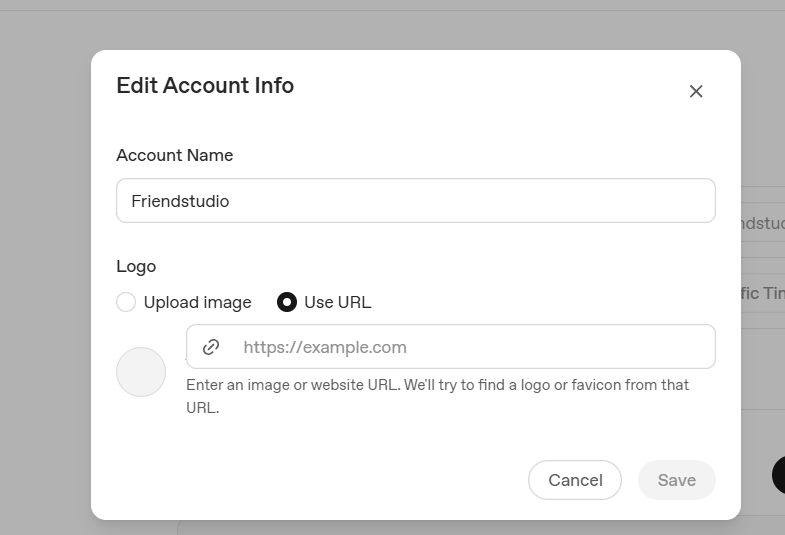
After that you will have to add your business logo. You can upload the logo in two different ways. The first way is you can upload the logo from your local device. Also, if you want, you can share your website URL. ChatGPT will collect the logo from the website.
Great, now your ChatGPT ads setup is done. Now you can run ads by your good for the traffic of ChatGPT.
The end line of the Article
So, in today’s article, we’ve shared with you how to easily complete the ChatGPT ads account creation. Since it’s a brand new platform, if you use it, you’ll be way ahead of the competition if you start advertising here early.
At last, if you have any questions about your ChatGPT Ads account or ads creation or have any problems setting it up, let us know by commenting below. We’d be happy to help you. Thank you