For Google Ads campaigns to yield the best results, effective targeting is essential. Ineffective targeting can produce unsatisfactory results even with a large traffic volume.
A thorough understanding of your traffic is essential to choosing the appropriate audience for your Google Ads. You can only effectively target the right users if you have a thorough understanding of your audience. Thankfully, Google offers a wide range of resources and strategies to assist you in connecting with your target market. Knowing exactly who your traffic is and what they are searching for is crucial to making the most of these tools.
We’ll go over each targeting option Google provides in this guide so you can maximize the potential of your campaign.
Google Ads Audience Targeting
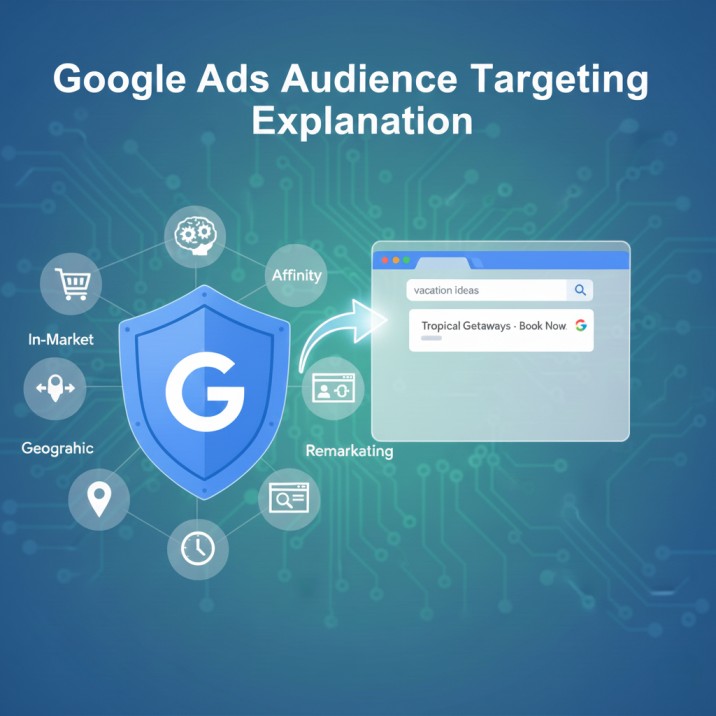
In Google Ads the audience targeting is generally two types. The first one is based on the people, and the other one is content-based.
First, let’s start with the people-based targeting. Here in this place we will target our traffic according to their age, educational status, interest, and more, so let’s start. First, let’s go to the targeting sector.
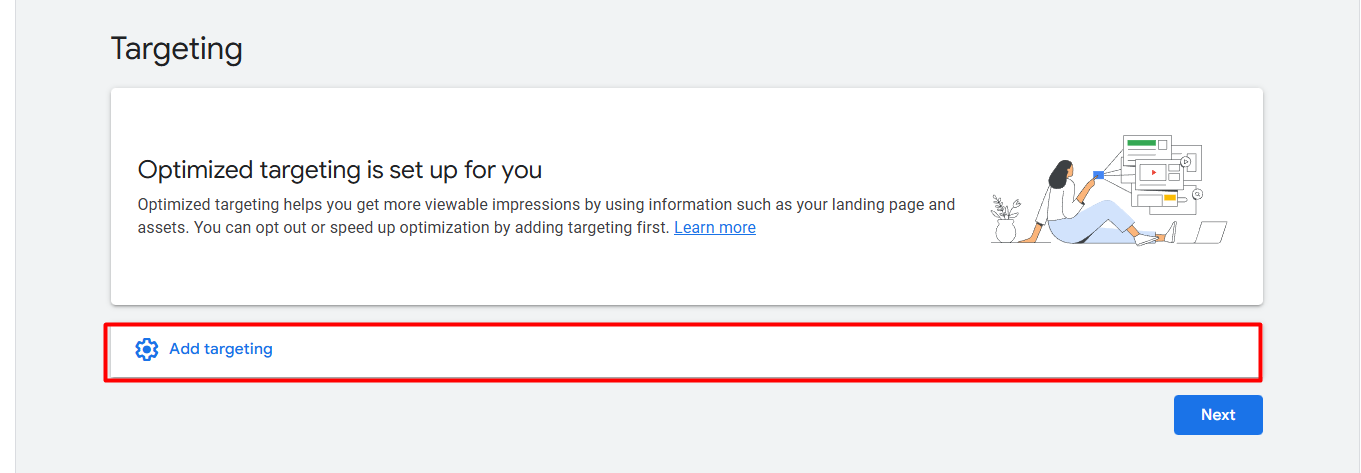
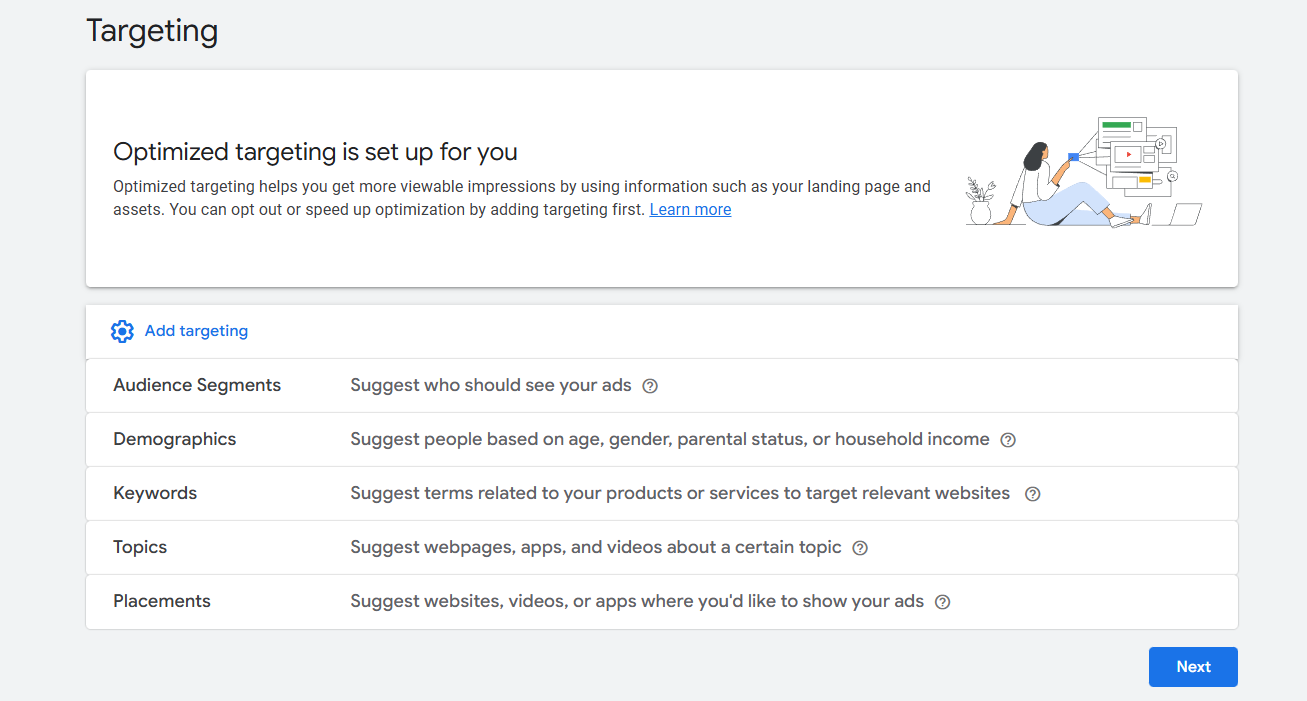
After clicking on “Add targeting,” here you can see a total of 5 options Google provided us for audience targeting. Let’s explore one by one.
Demographics
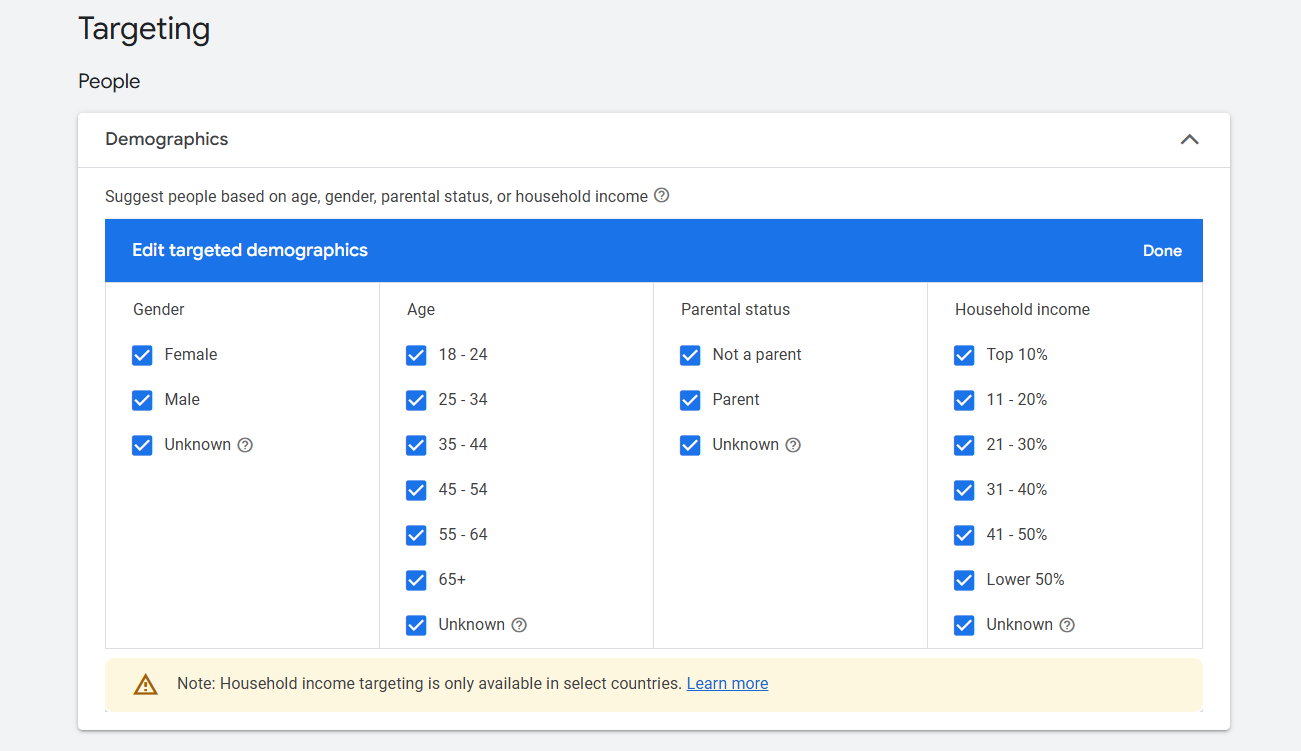
From the demographic we can select a lot of things about our traffic that you can see in the image. This is the place from which you can select the age range, gender, parental status, and household income of your traffic.
But the household income will not be available in every country. This one will be available just for Australia, Hong Kong, India, Indonesia, Japan, Mexico, New Zealand, South Korea, Singapore, Thailand, and the United States.
Detailed Demographic Targeting
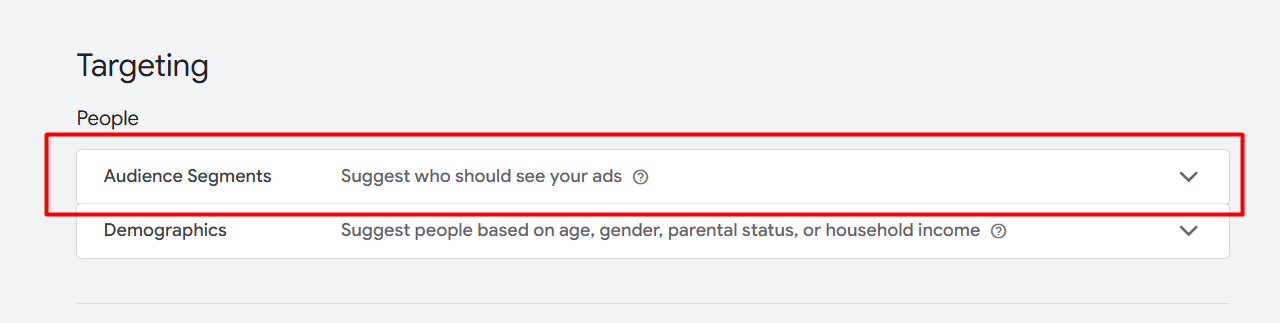
From the audience segments we can complete our demographic targeting in more detail. In audience segments we can do a lot of things; we can target our traffic based on their interest and more. Let’s explore it from the details of demographic targeting.
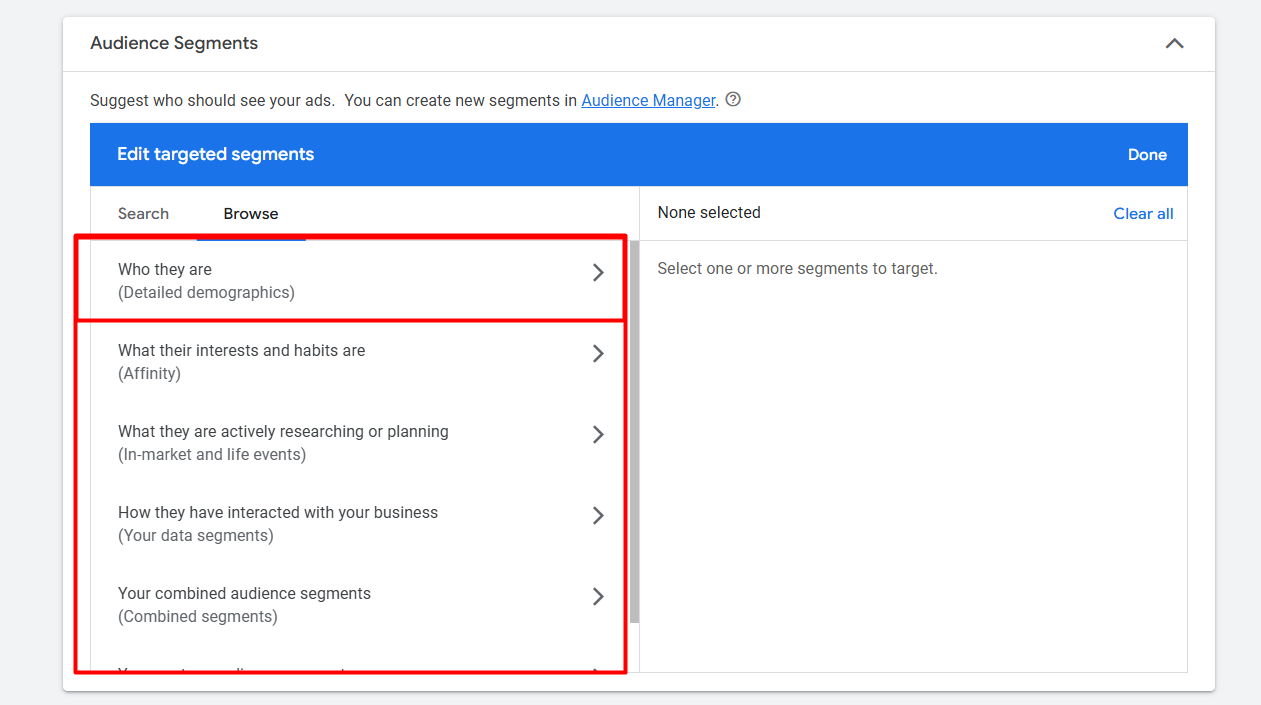
To do it, select the first one.
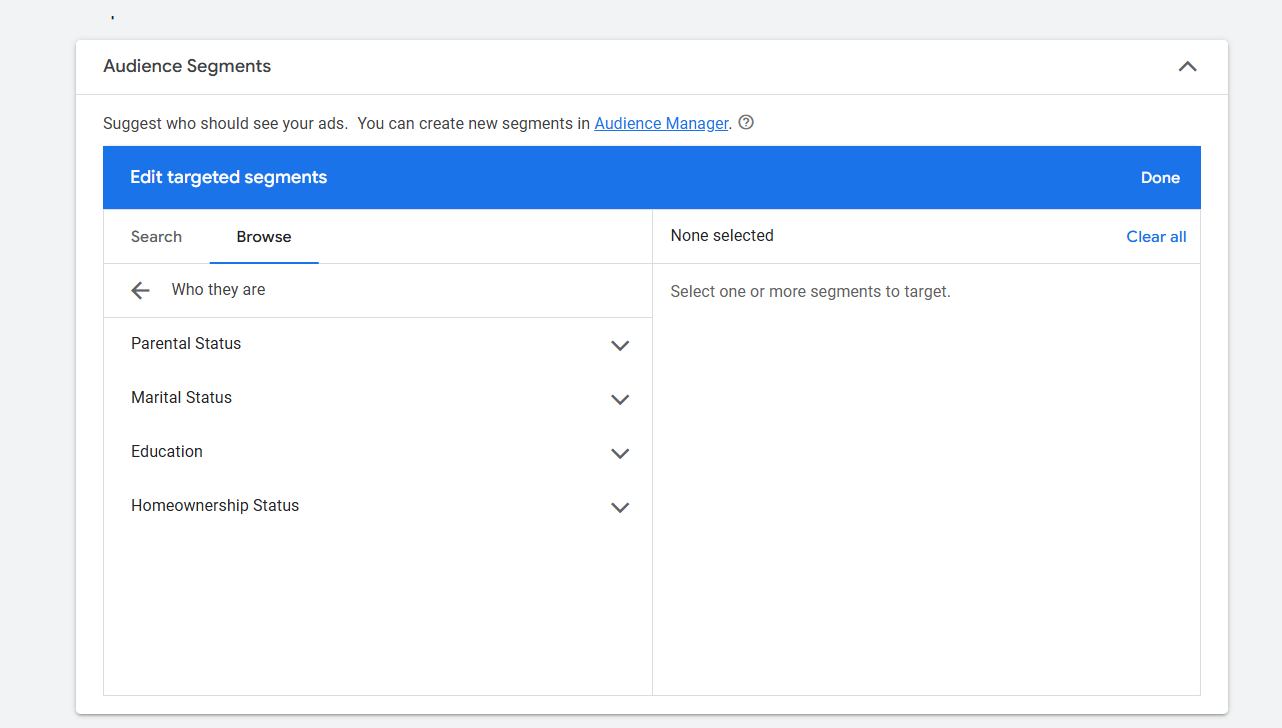
From here you can target everything in more detail. For example, from here now you can select what your traffic education label should be.
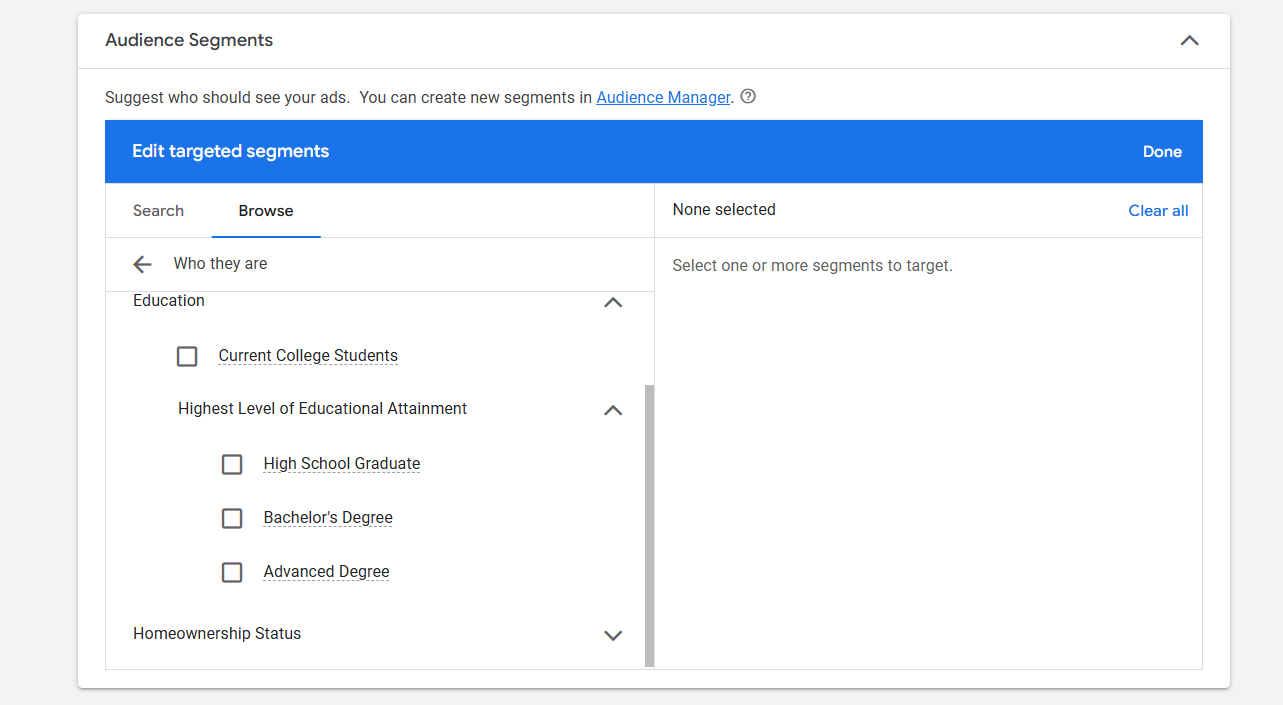
Have a look. So before selecting anything, don’t forget to check everything one by one.
Affinity
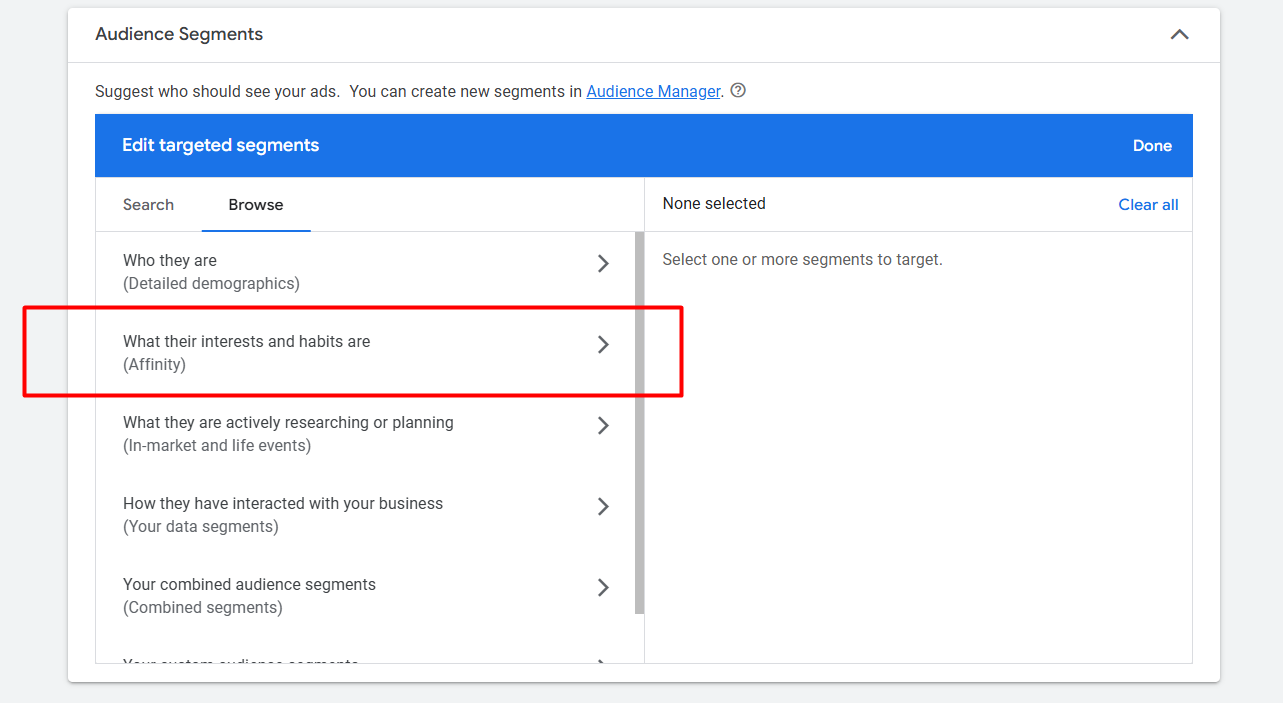
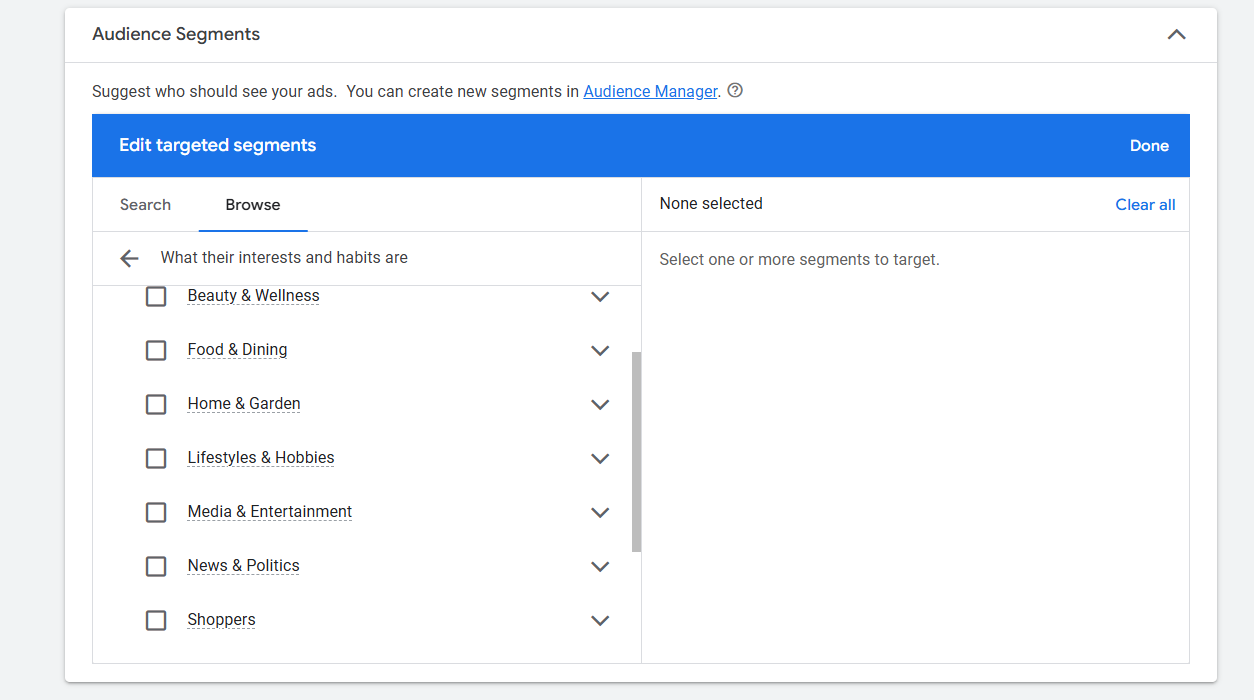
By using this approach, we can create an interest-based traffic category for our campaign. Google offers a wide range of categories, and for each category, it compiles a corresponding list of traffic. This means that any traffic falling under a particular category indicates a specific interest.
In Market Audience
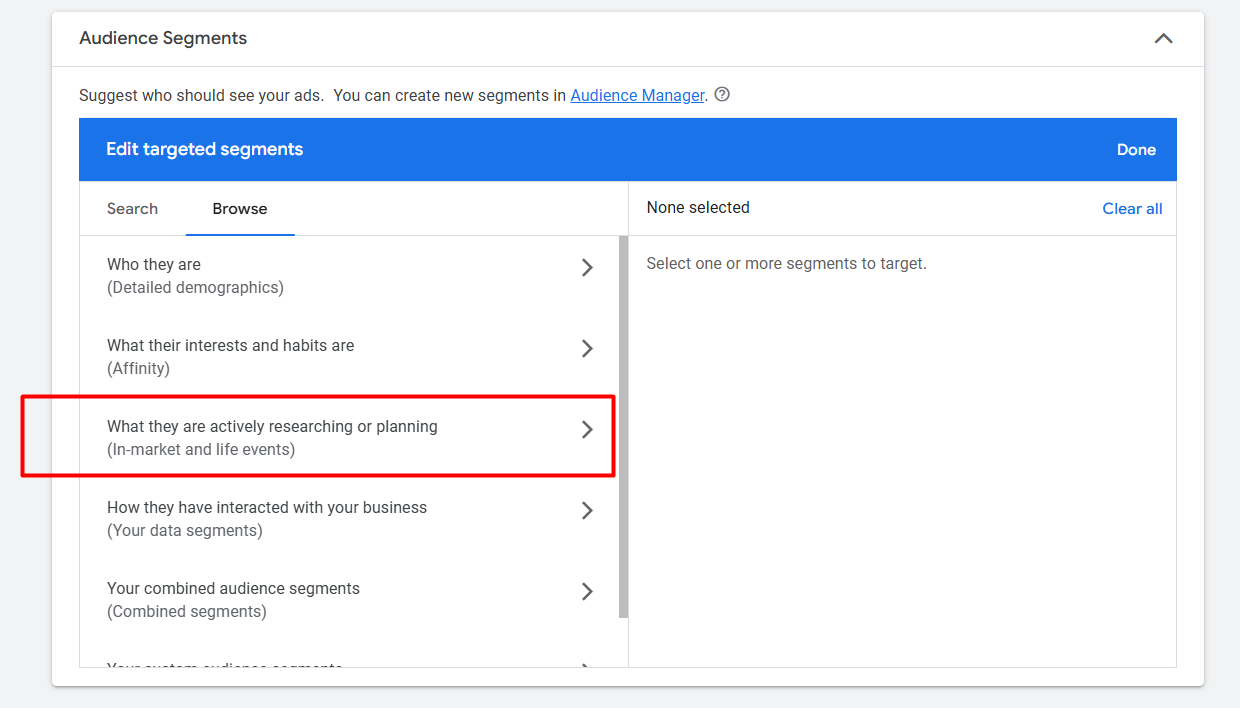
The ‘In-Market’ audience list is similar to the Affinity audience, but with a key difference: if someone falls under a category in this list, it indicates they are actively researching or planning to purchase the associated goods or services.
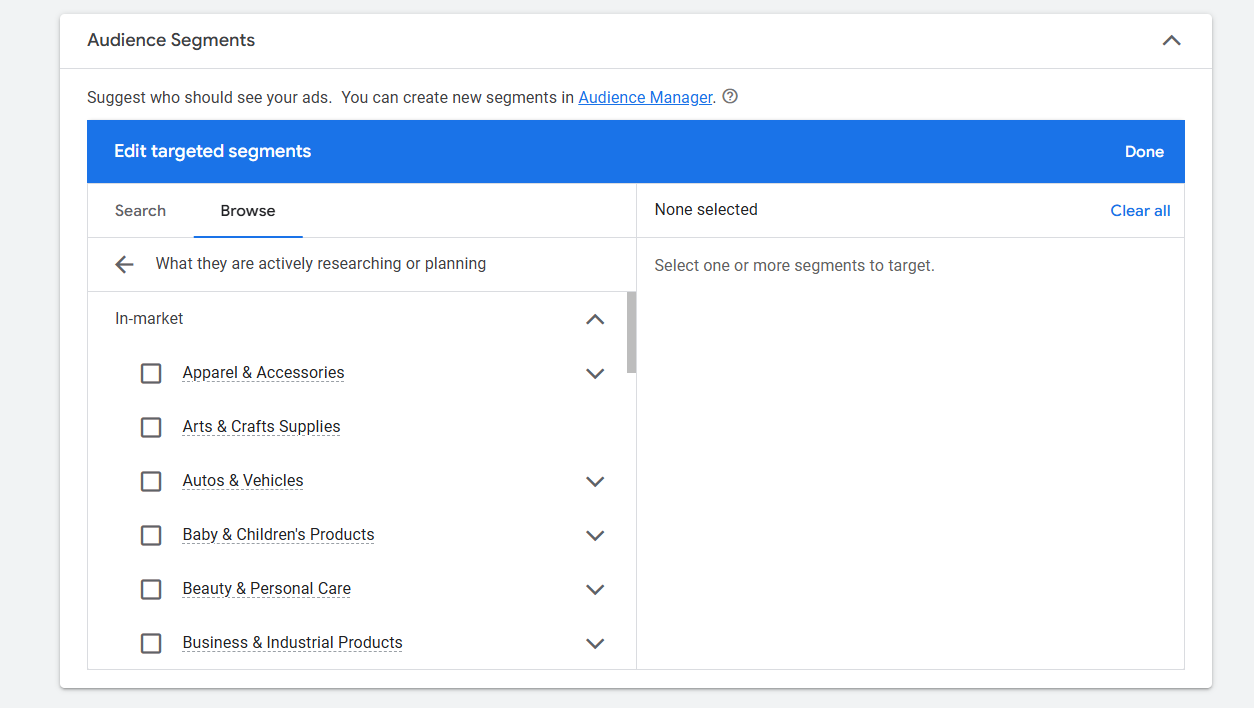
Life Events Audience
The ‘Life Events’ audience targeting is designed to reach individuals during significant life changes or milestones. Such as college graduation, job change or Marriage, etc.
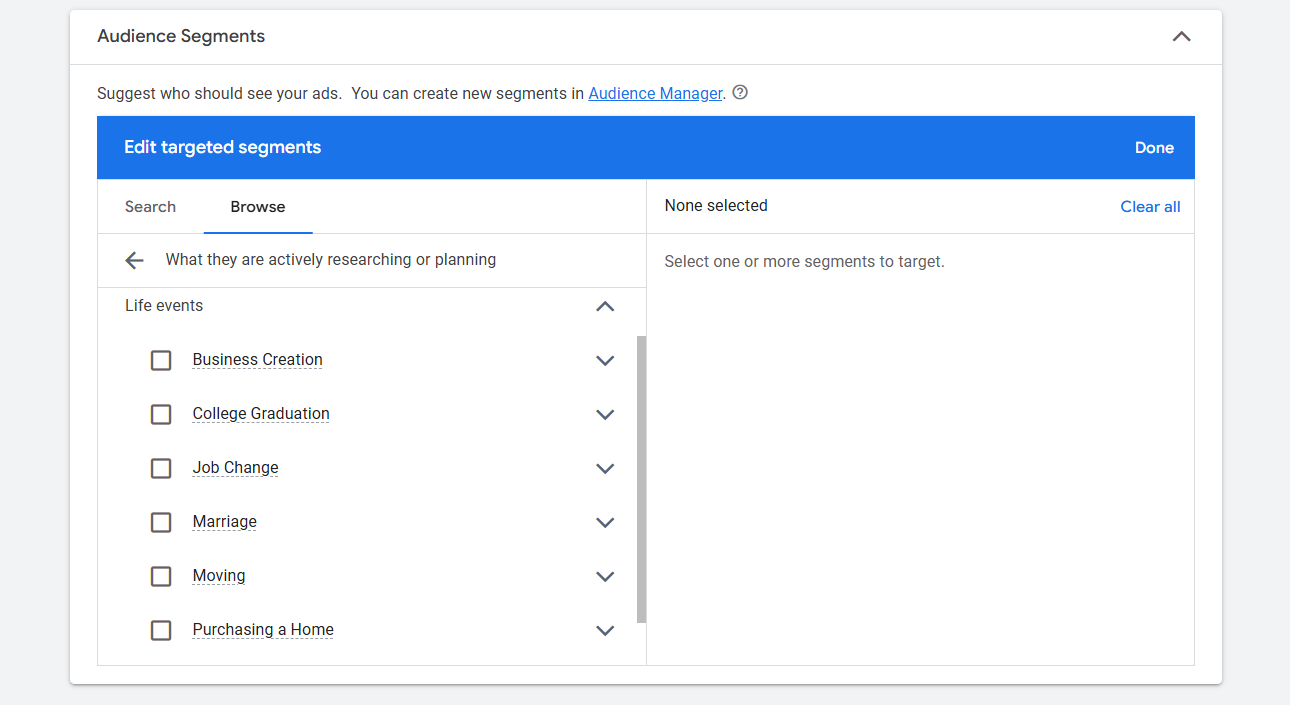
Your Data Segments
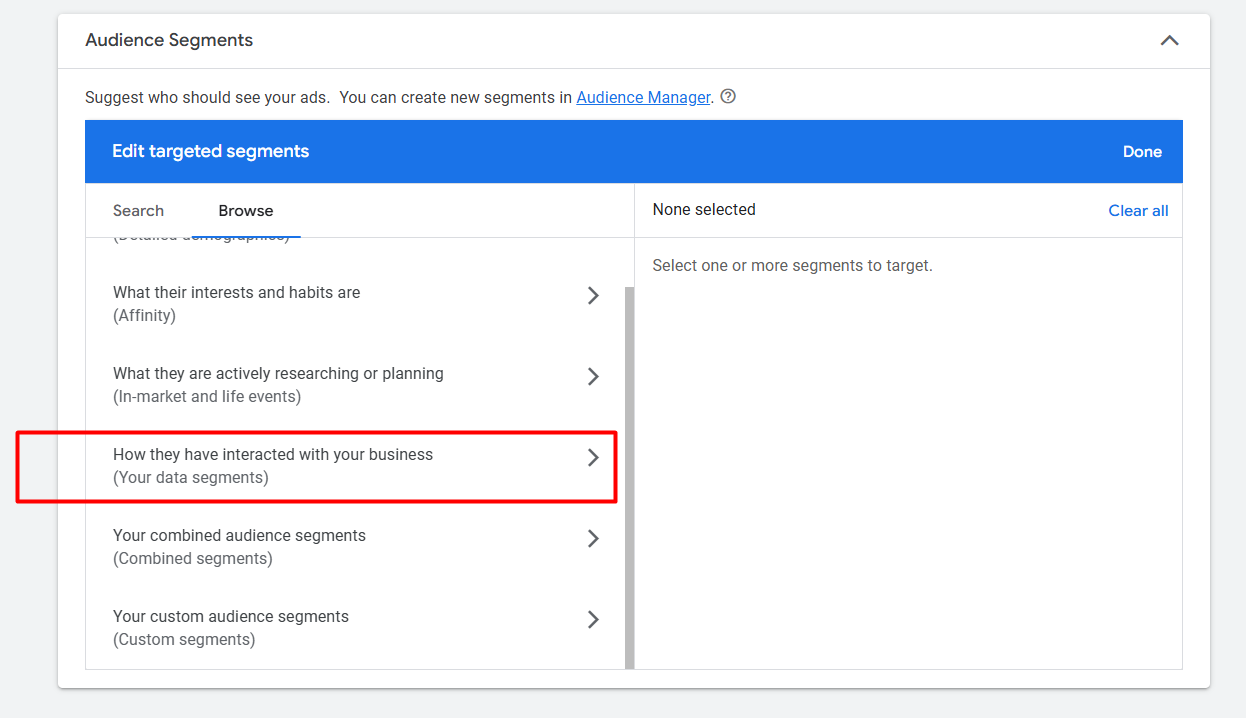
From here, you can access the data you’ve created for remarketing. As part of our marketing strategy, we always target previous customers. To do this, we create various audience segments at different stages. All of your custom-created audiences can be accessed from this section.
Custom Segments
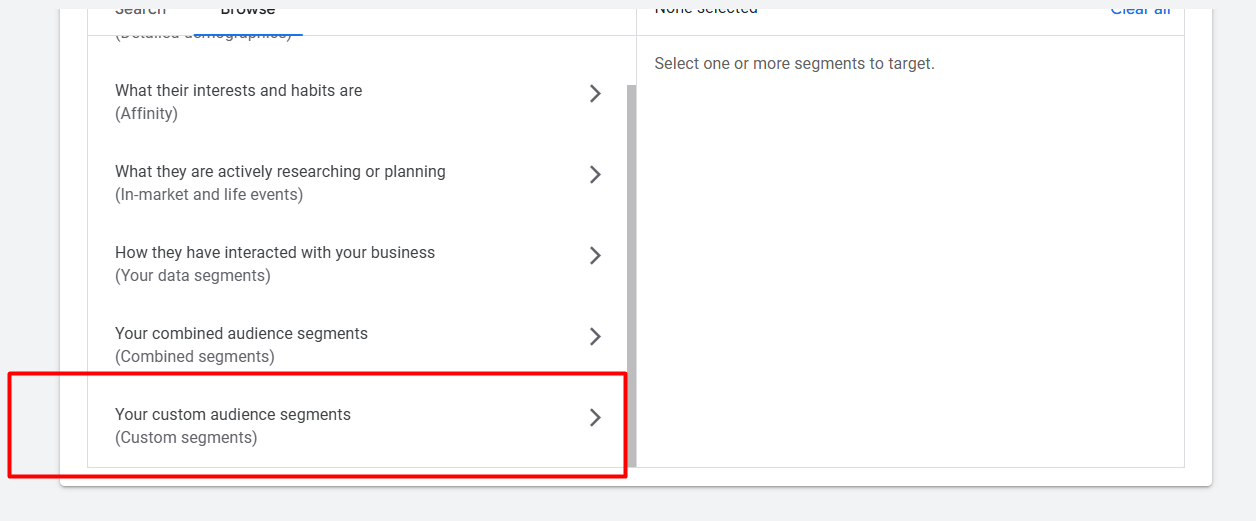
This one is a really good way to target a sector. Let’s explore; you will enjoy it. First select it.
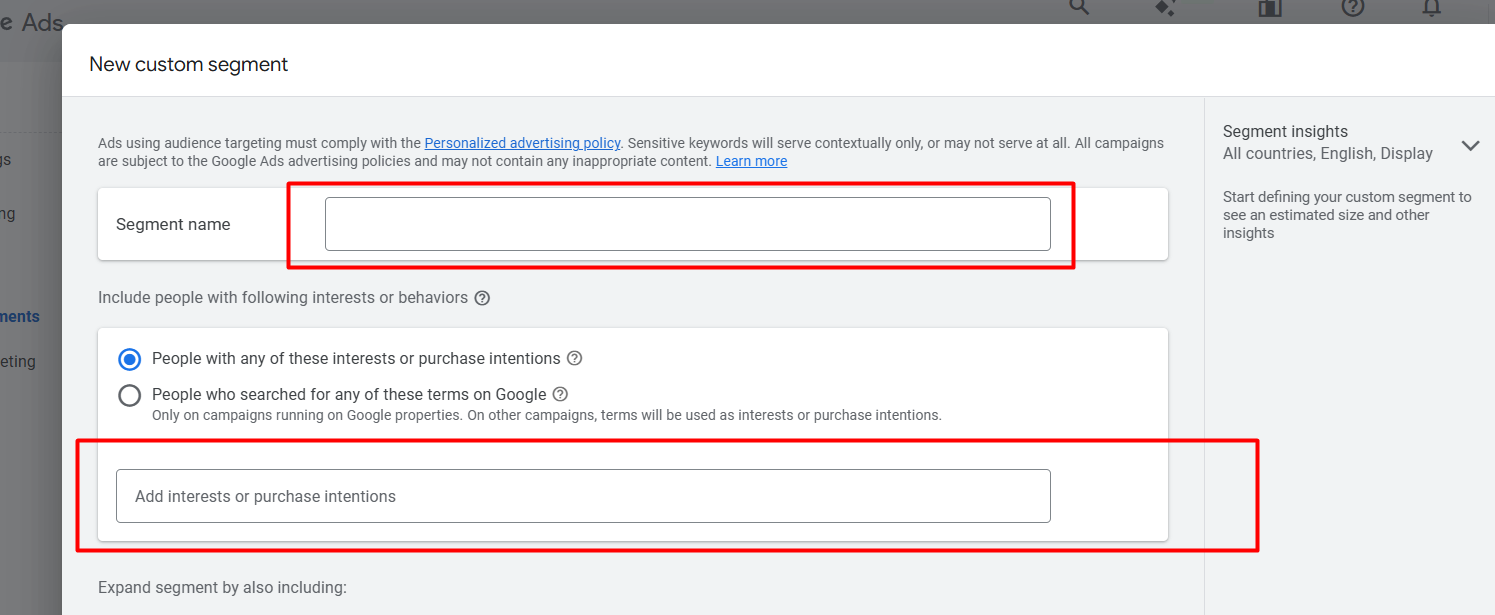
In this section, if you enter your selected keywords, Google will display your ads to users who have shown interest or intent to purchase related products or services. With the second option, Google will show your ads to those who have searched for any of these terms on Google.
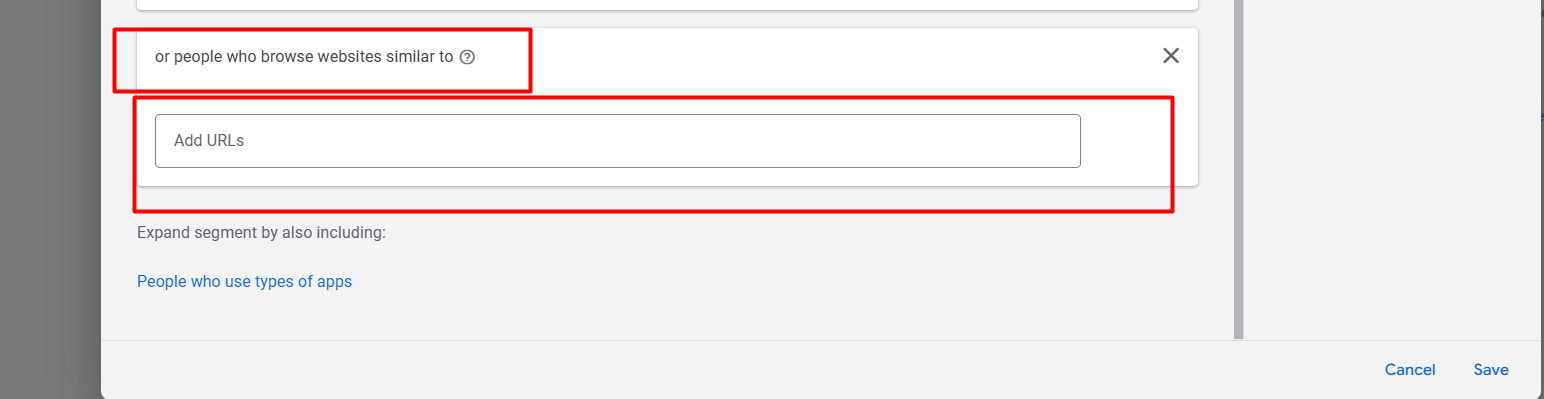
Also, if you want to show your ads to your competitors’ traffic, then you can use this option. Just normally copy their domain and place it here.
In the same way, if you want to show your ads to any of your targeted app traffic, it’s also possible.
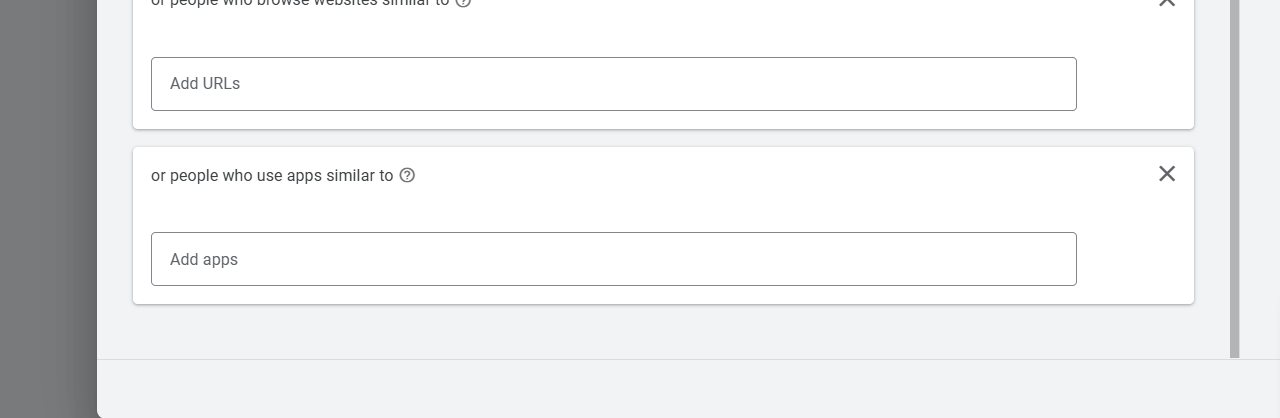
Combined Segments
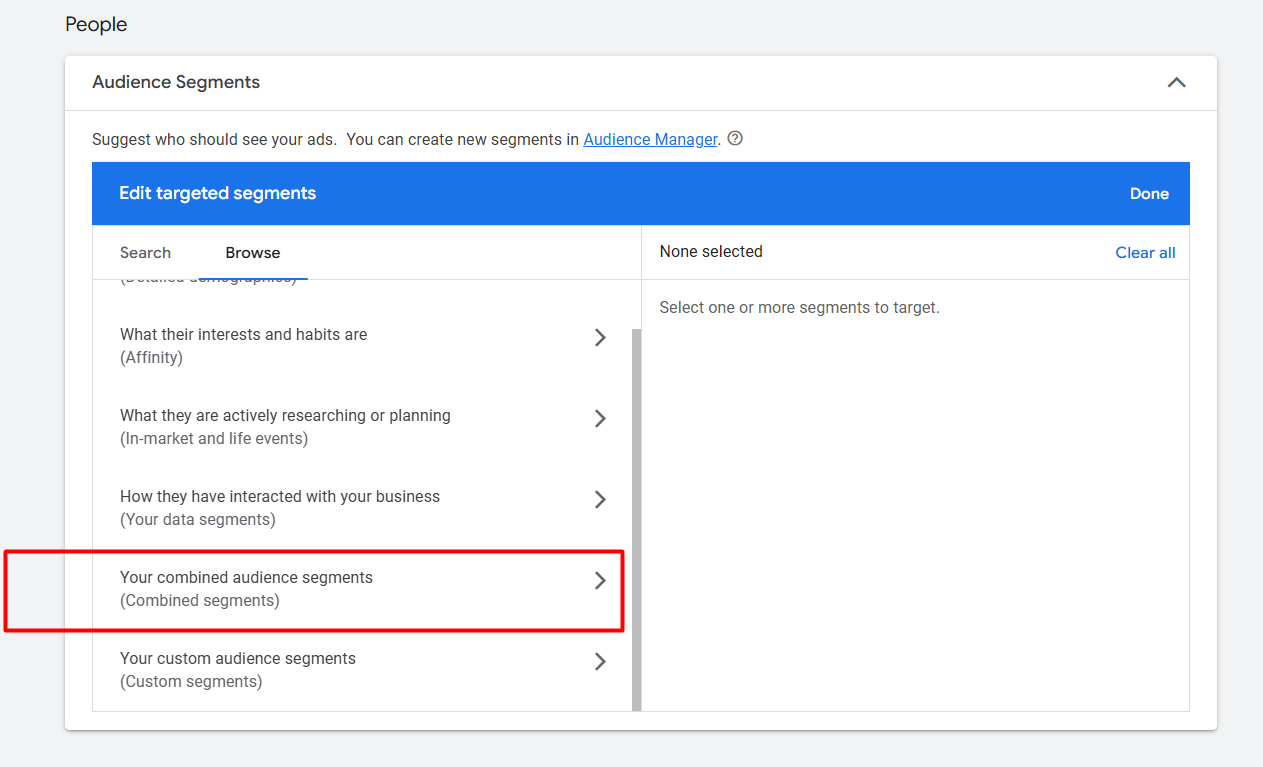
With this option, you can create a combined audience segment. This allows you to build your audience by incorporating Affinity, In-Market, and Life Events audiences. Additionally, you can also include custom segments in this combined list.
Keywords
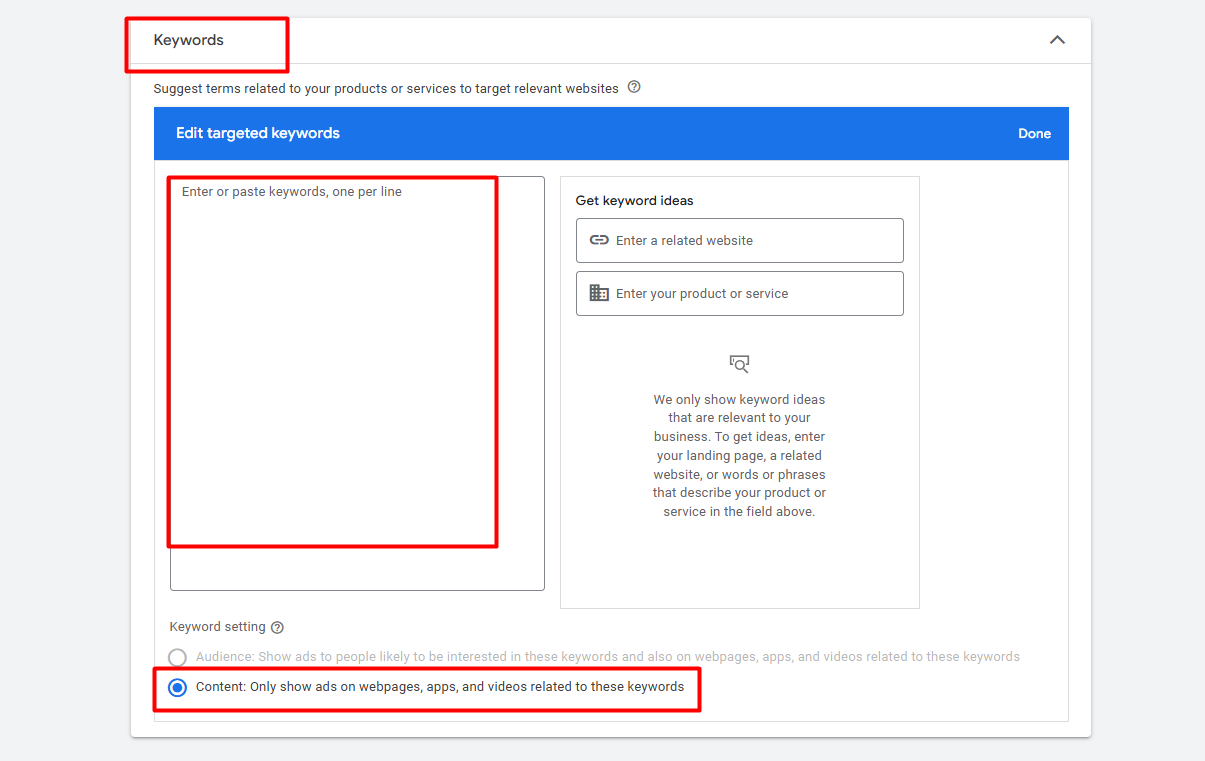
In the keyword option, first you have to place all of your selected keywords. So then Google only will show our ads on the webpages, apps, and videos related to these keywords.
Topic Targeting
With this option we can select our targeted topic, and then Google will show our ads according to the topic on the site and videos that come under the same topic.
Placement Targeting
With the option, we can do something greater. For example, with the option now you can target websites. If you want to show your ads to any targeted website, then you can use this option.
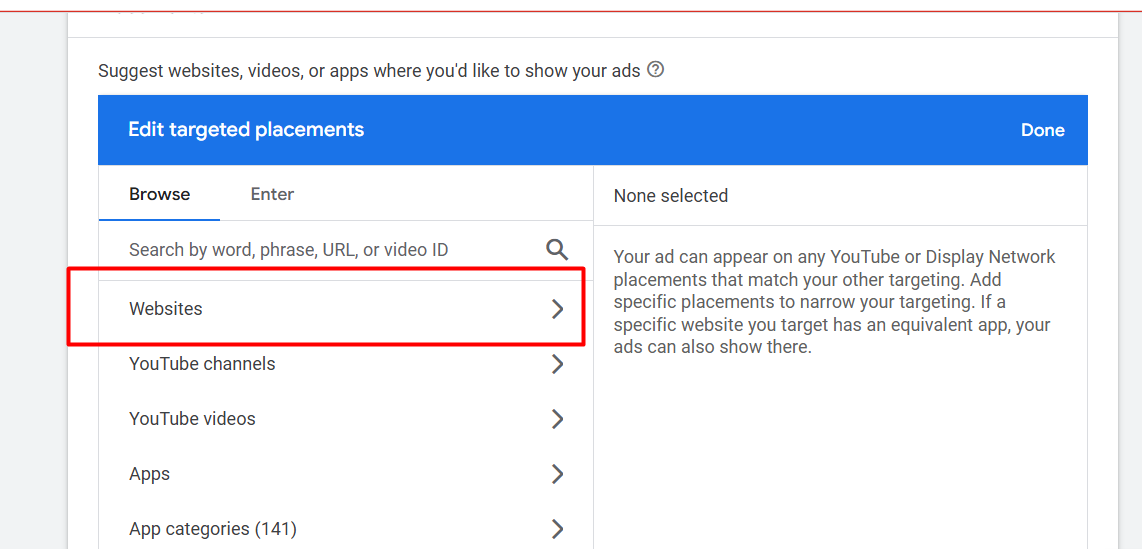
But yes, this site should be under the Google Ads Display Network. Otherwise it’s not possible.
YouTube Channels & Videos: In the same way, if you want to show your ads on any individual YouTube channels, you can do it. Also in the individual video you can target.
Apps & App Categories: Here also, it’s the same; if you want to show your ads to any targeted app, you can do it. Also, you can select app categories to show your ads.
We already explained everything in front of you; now it’s totally up to you how you would like to target your audience. But yes, at first, start the audience setup and try to know as much as you can about your audience.