
Google Keyword Planner is not just a basic keyword planning tool; it is a strategic planning machine. For this reason, in today’s article, we will tell you how you can use Keyword Planner at an advanced level.
Advanced Explanation of Google Keyword Planner
At first we have to enter in our Google Ads Keyword Planner for all the next options. So first log in to your account.
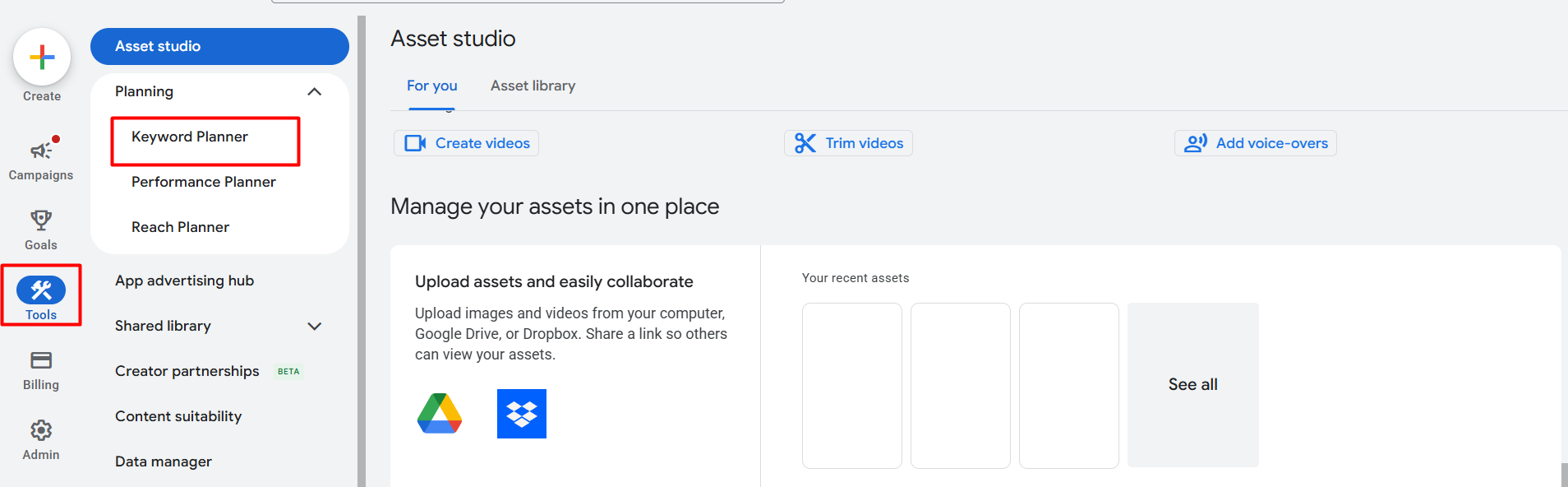
From here, after clicking on the Tools section, select Keyword Planner under the Planning category.
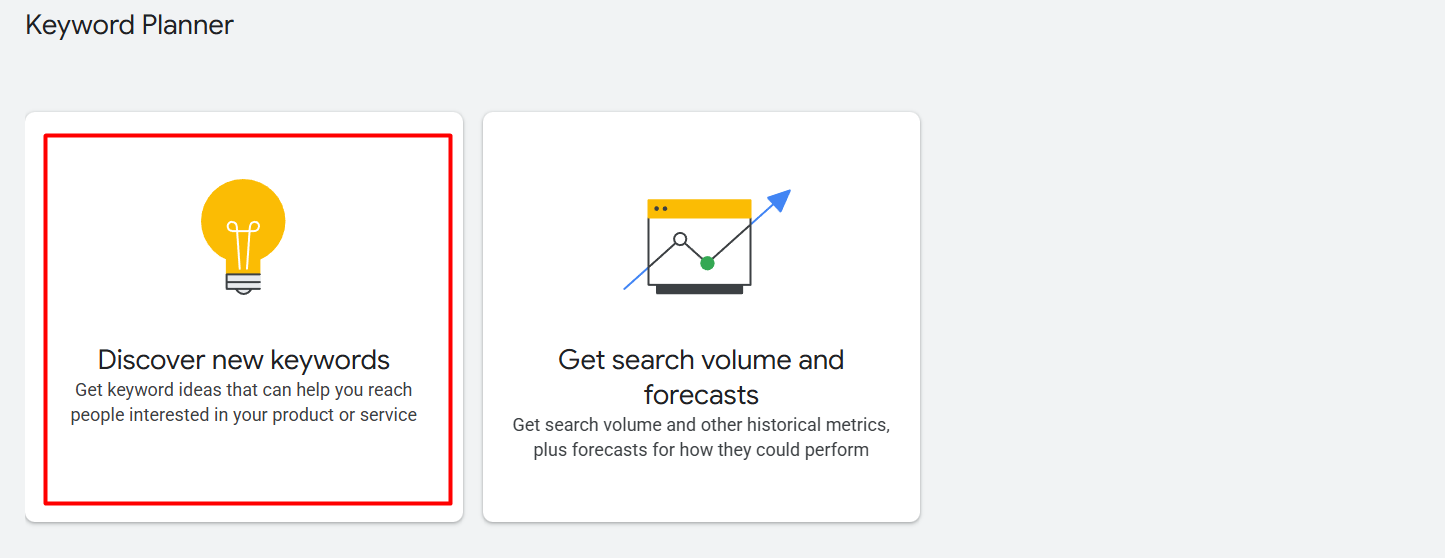
If we enter the keyword planning section, then we will be able to see these two options:
- Discover New Keywords.
- Get search volume and forecasts.
Click on the first option because we have to find the best keyword for our business.
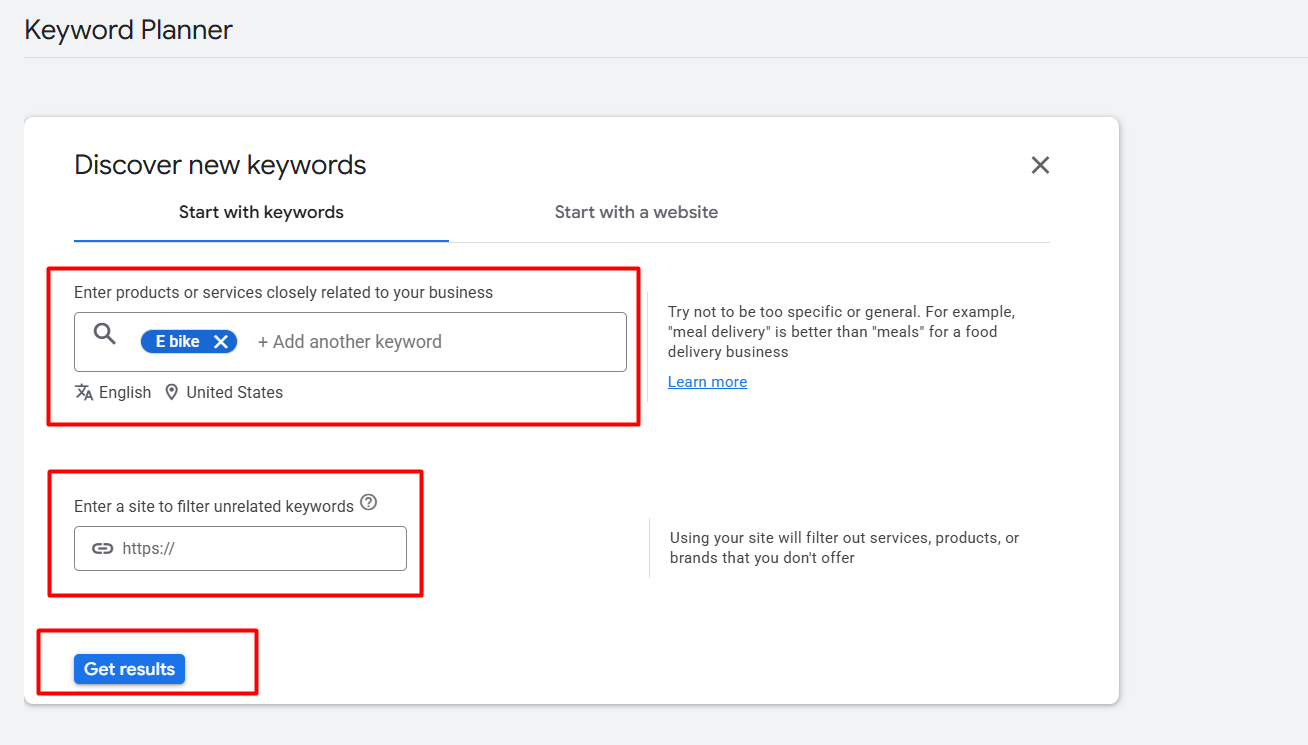
Here, you can enter up to 10 keywords in the first field, or alternatively, you can provide your website link in the second option. Based on this information, Google will generate a list of relevant keywords for you.
Keyword View
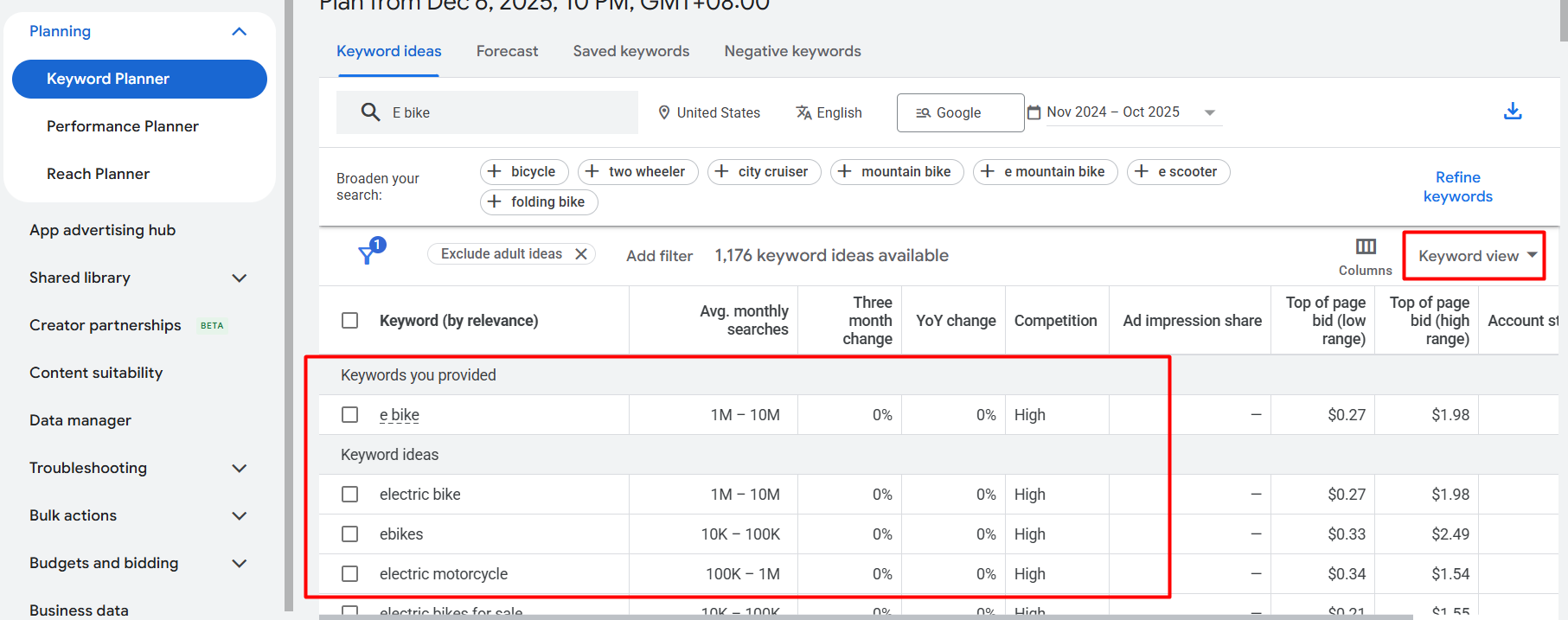
Here you can see after getting started with our mother keyword, we get one list of keywords. This first view name is “Keyword View.” From here we can collect all of the best keywords for our Google Ads.
From here we can select keywords and place them under a specific campaign ad group. To do it, first select some keyword.
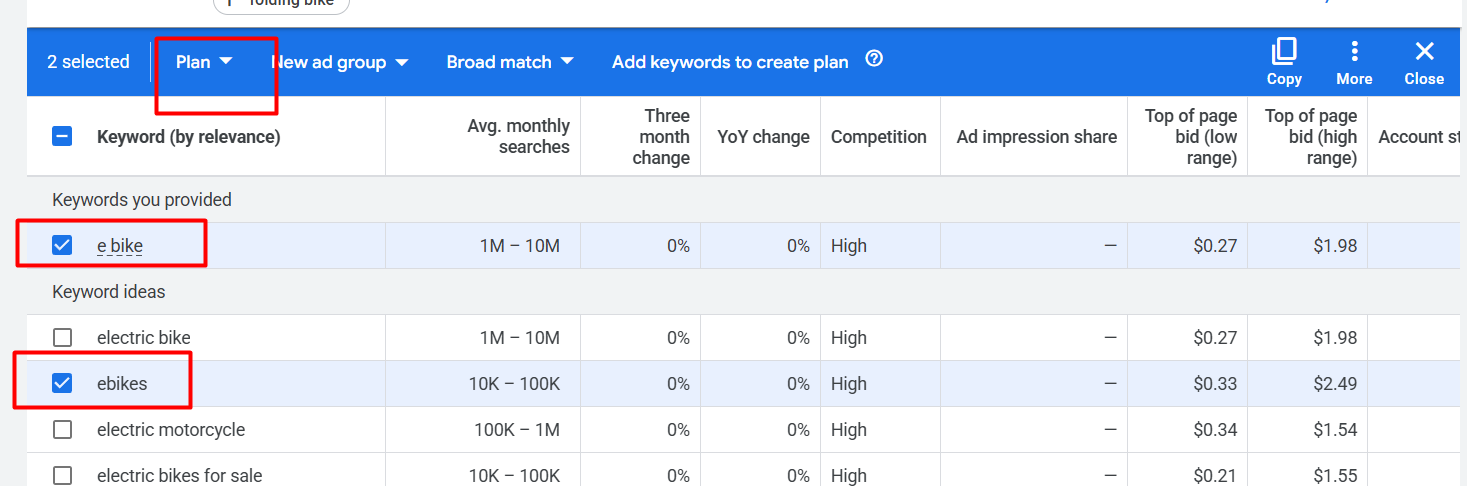
After selecting some keywords, now click on the plan section.
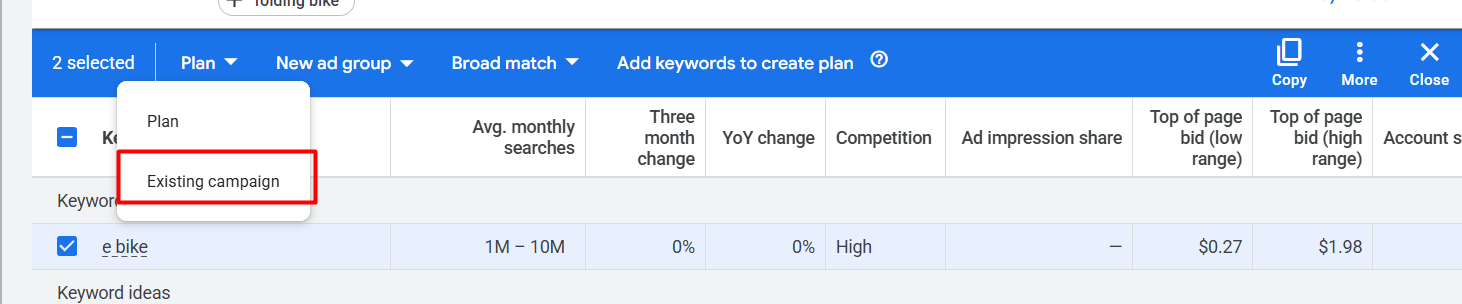
From here, first select one campaign, then select the ad group.
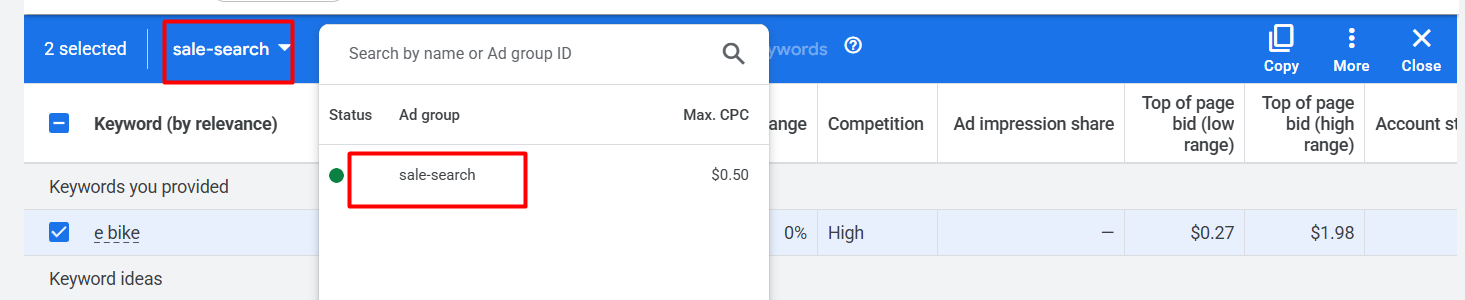
In this way, you can upload your selected keywords in the existing ad group. Also, you can create a new ad group from here.
Grouped View
You already know that we create an ad group based on a single objective. We want each group to contain keywords with the same intent and create campaigns related to that intent. In this process, special attention is given to maintaining the proper theme of the ad group.
In the keyword view, it can be very difficult to quickly find and organize all the keywords with the same intent in one place. For this we can create a different layer by changing the keyword view to a grouped view.
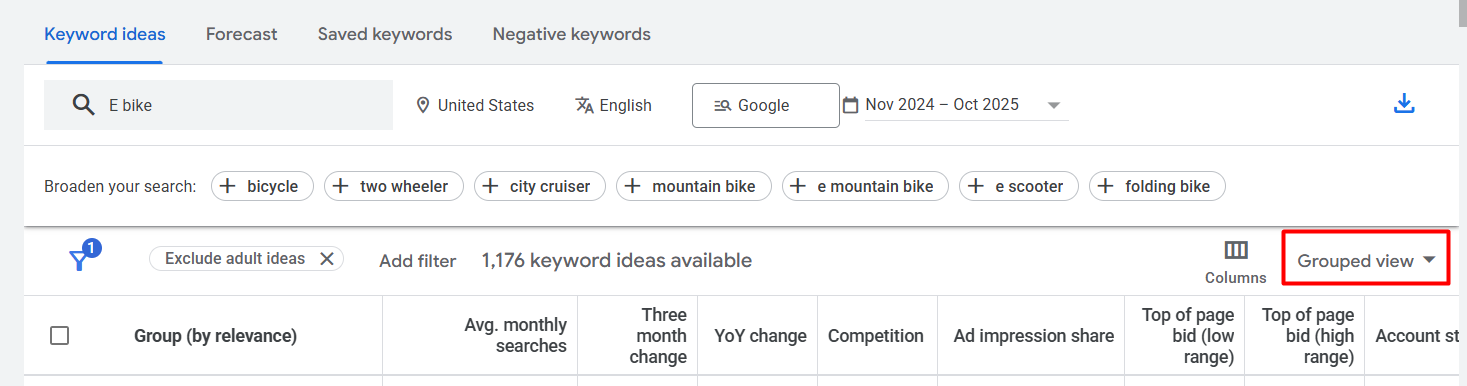
Here, you can see how we changed the view. After selecting the new view, you can now see what your updated keyword list looks like.
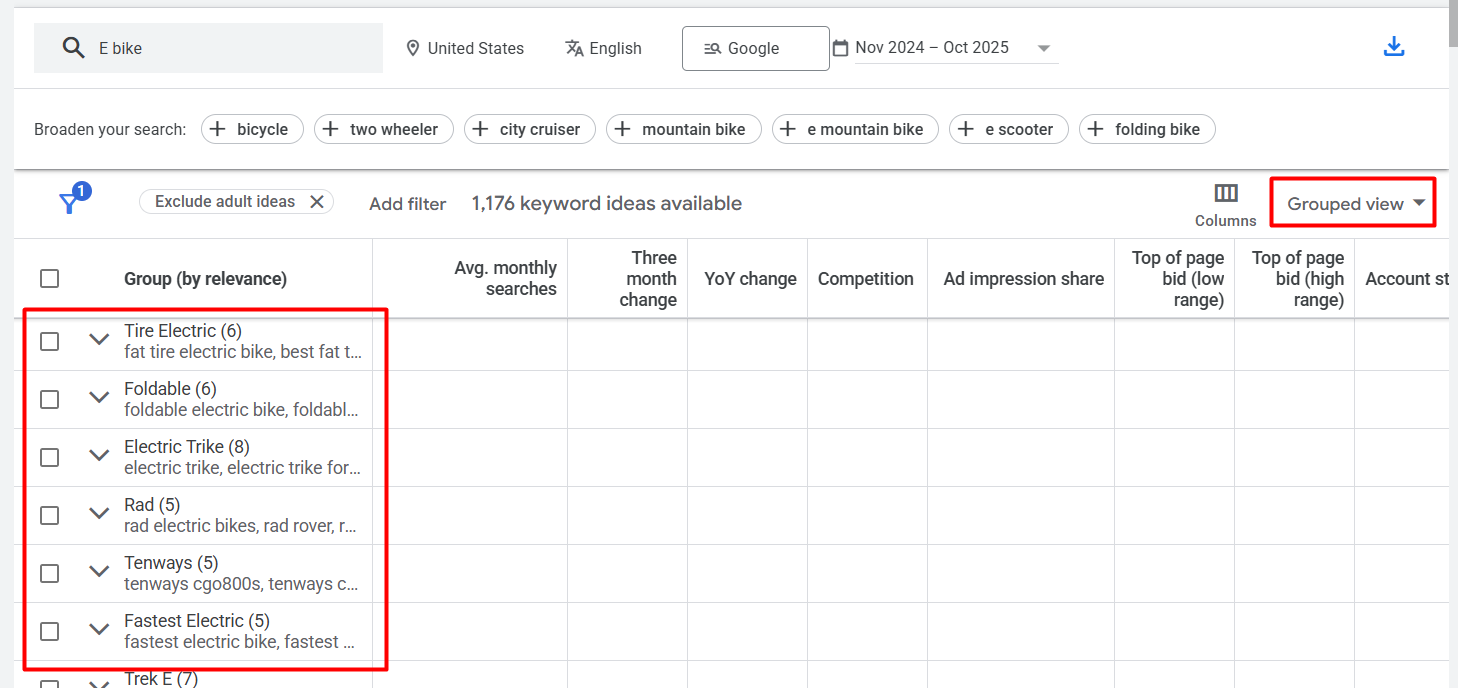
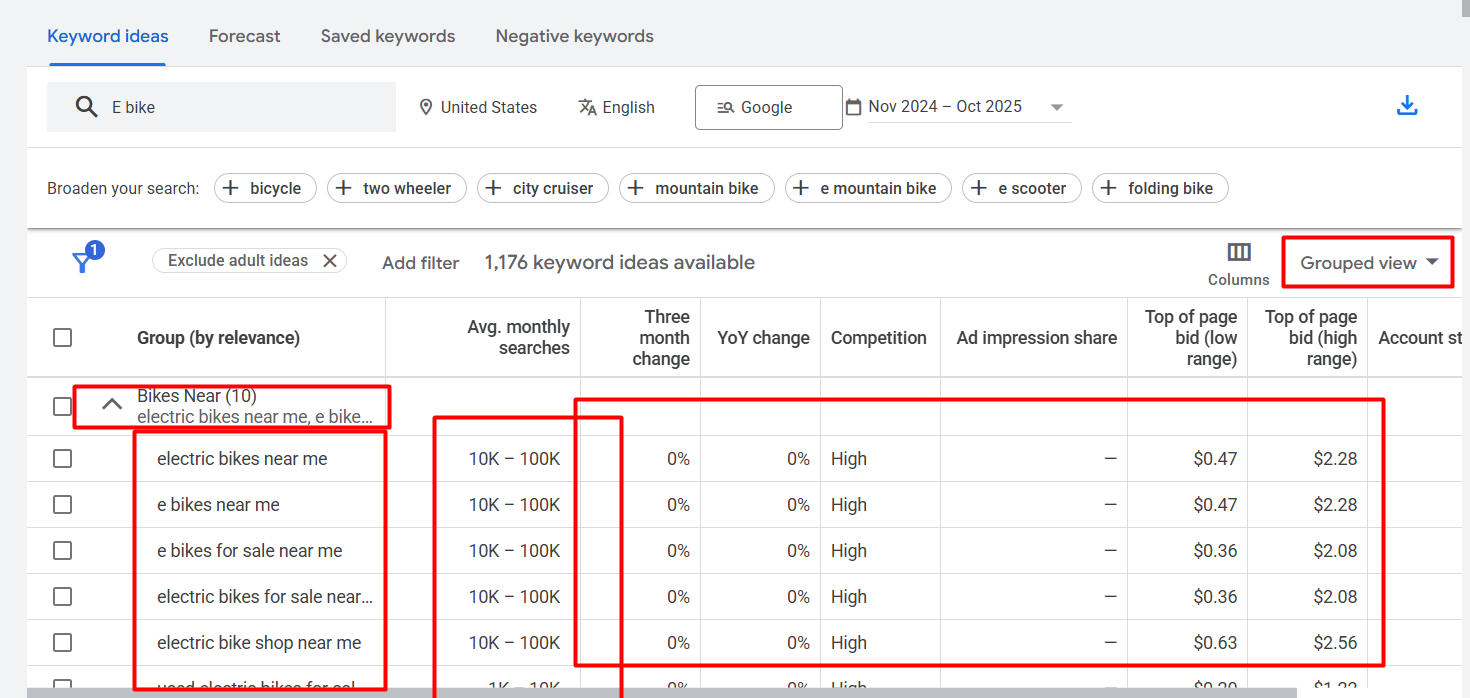
Which brings all the same intent keywords into one place or under one headline. This one single thing can boost up our work process. From here we can upload all the keywords together into an ad group, or we can also do it separately.
This also allows us to easily target keywords for multiple micro landing pages. Since the objectives are separated by intent, choosing the right keywords becomes much simpler.
Because the keywords are divided by intent, we can easily find and target many low-competition keywords. For that we can run our ads with those keywords, and we can get good results because of the low amount of competition. Especially if you are a small business owner, then this type of keyword is really great for you.
Keyword Contains Filters
Often, we try to look for keywords that reflect our targeted intent, such as words like “cost,” “price,” or “rate.” So to find this type of keyword, we have to use the filter section. Because the filter will collect all of the keywords from the list that contain our targeted word.

At first, click on the filter and search for the keyword and select it.
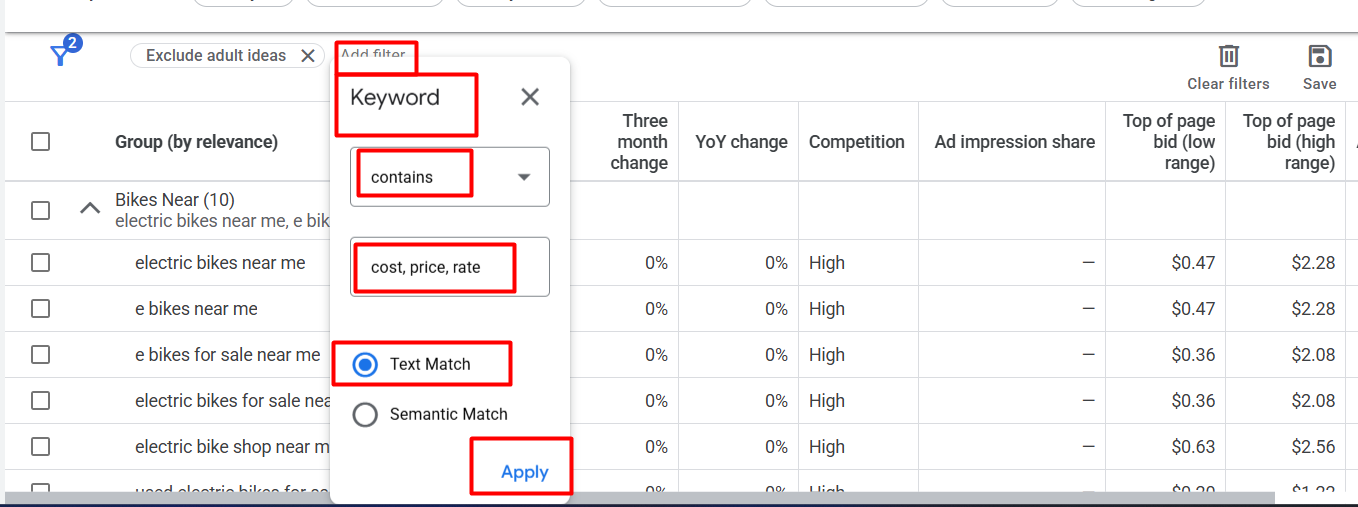
Now here you can see how we complete the other work. In the same way, you can also do your work.
Seasonal Trends
With the seasonal trends, we can analyze every single keyword in depth. Because to do that we will get three different measurement;
- Avg. Monthly Search.
- Three-Month Change.
- YoY Change.
Avg. Monthly Search
This allows us to see exactly how search trends change throughout the year. From this, we can understand how our selected keywords perform in a year.
Three-Month Change
With this option, we can compare how the keyword performed in the last three months vs the previous three months and see whether the search trend has increased or not.
YoY Change
With this option, we can compare how the keyword performed in the last year vs the previous year and see whether the search trend has increased or not.
So if you want to analyze any keyword trend, then these three options can be a game changer for you.
Use Filter In Different Way
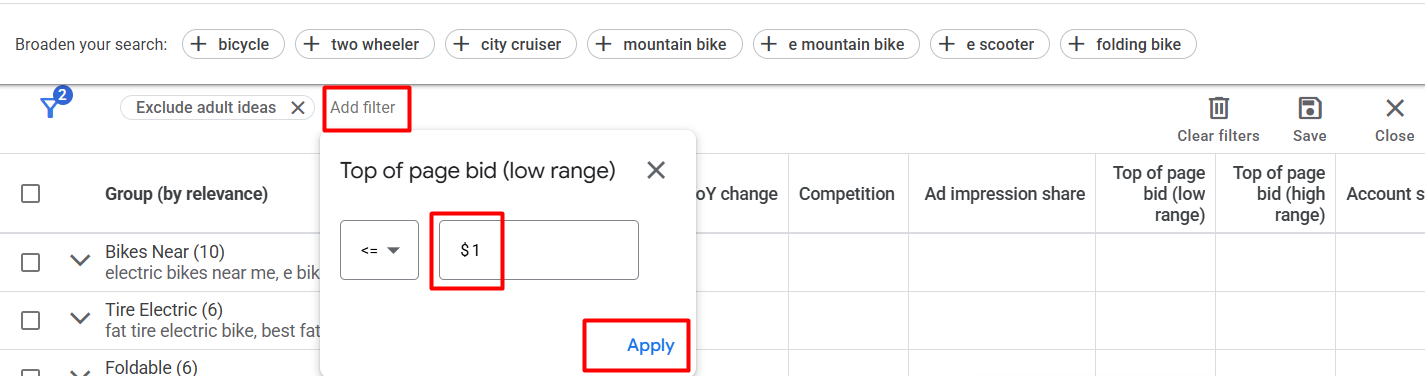
This allows us to filter keywords according to the top page (low range) bid amount, helping us easily find less than or greater than keywords based on our needs. Similarly, by selecting high-bid filters, we can also identify high-bid keywords.
Exclude Keyword
That way we can exclude all of these keywords that are not useful for us. It’s like our product is premium, so if any keyword contains the word “free,” then we can exclude it easily this way. To do it again, go to the filter section and again search “Keyword.”
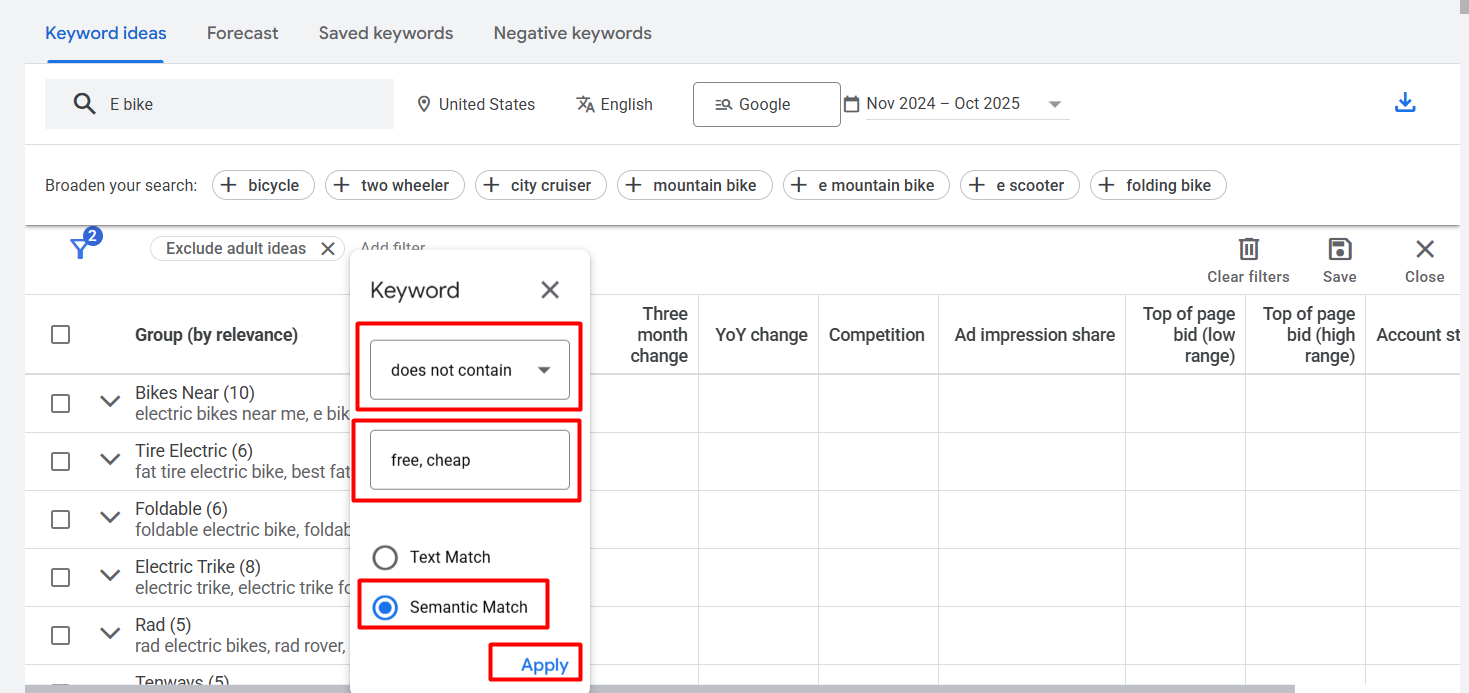
At the time, select “does not contain.” Write down the word and apply. So if you did it, then all of the keywords will be removed from the charts that are in the same term or contain these words.
Ad Impression Share
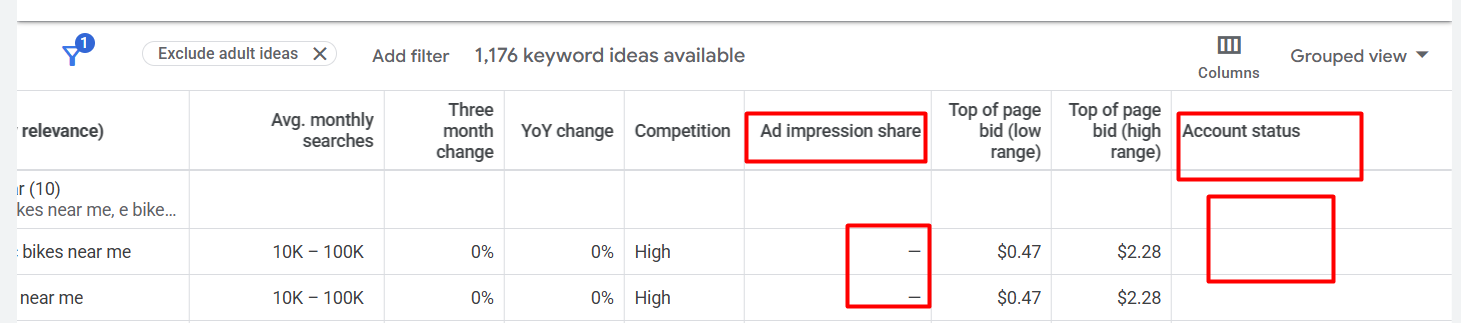
Ad impression share is only useful or visible when we are already using those keywords in our account. If we are using them, it will appear under account status, and in the ad impression share section, we can see how much impression share we are receiving.
If you notice that you are already using a keyword but its impression share is very low, below 10%. You can think that either there is strong competition for that keyword or there is an issue with your bidding strategy. Sometimes even if the bidding strategy is correct, it still doesn’t work due to insufficient budget.
Ad impression share is most helpful when we are optimizing our ads.
Higher Gap = More Competitive = Strong Buyer Intent
The larger the gap between the top-of-page bid (low range) and the top-of-page bid (high range), the more competitive the keyword is. This also indicates that the keyword has strong buyer intent and is positioned at the bottom of the funnel.
Lower Gap = Low Competitiveness
But if the gap between these bids is small, it means advertisers are paying almost the same amount for that keyword. This indicates low competition, which is very beneficial for small businesses. Because this type of keyword
- Competition is stable.
- Intent is moderate.
- Low Volatility.
- Landing page quality can easily beat competitors.
This means that if we include these types of keywords in our CRO efforts, we can achieve much better results.
Besides this, there are many more things you can do in Google Keyword Planner. The planner’s purpose is not just to show search volumes or help you pick keywords and start working. There is much more to explore and learn. So dive deeper and discover all the tools it offers.