
In our previous article, we already explained what GTM is. We discussed the rationale behind their use, their operational mechanism, and the three crucial settings. Additionally, we have already outlined the process for creating both GTM and GA4.
This article will explain how GTM collects data from the data layer and how the data layer receives this type of data and additional information. So here in the article the main topic is “Google Tag Manager and DataLayer.” These two things will be discussed today.
- What is the data layer, and how do you enable it in different content management systems and the mechanism (CMS)?
- How do you collect data from DataLayer?
What is the data layer?
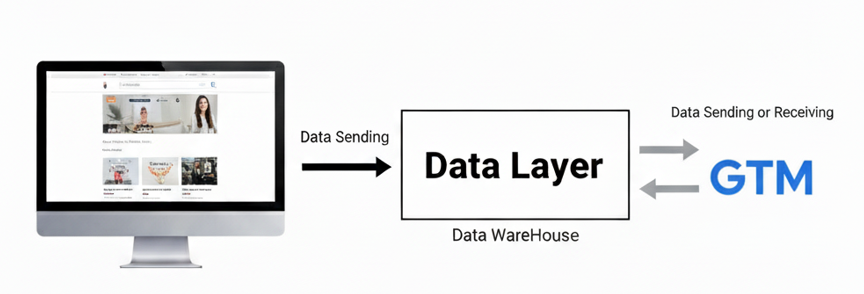
If you examine the term “DataLayer,” you will notice that it consists of two distinct words: “Data” and “Layer.” Therefore, we can interpret the meaning as a layer that contains data. In summary, the DataLayer can be described as the layer that contains data.
On your website, when a user completes an event, this layer collects all the data related to that event. If we rephrase our explanation, it will become clearer. The data layer is where you can view your event’s name along with the related information.
Now this question can come to your mind: who stores all this data in the DataLayer? To address this, we will explain the various methods for storing data in the DataLayer, one by one, throughout this article.
First, the data will be sent to our data layer, and then we can transfer it anywhere. So let’s start the explanation of this journey.
Basic understanding of data flow in the middle of Google Tag Manager and DataLayer
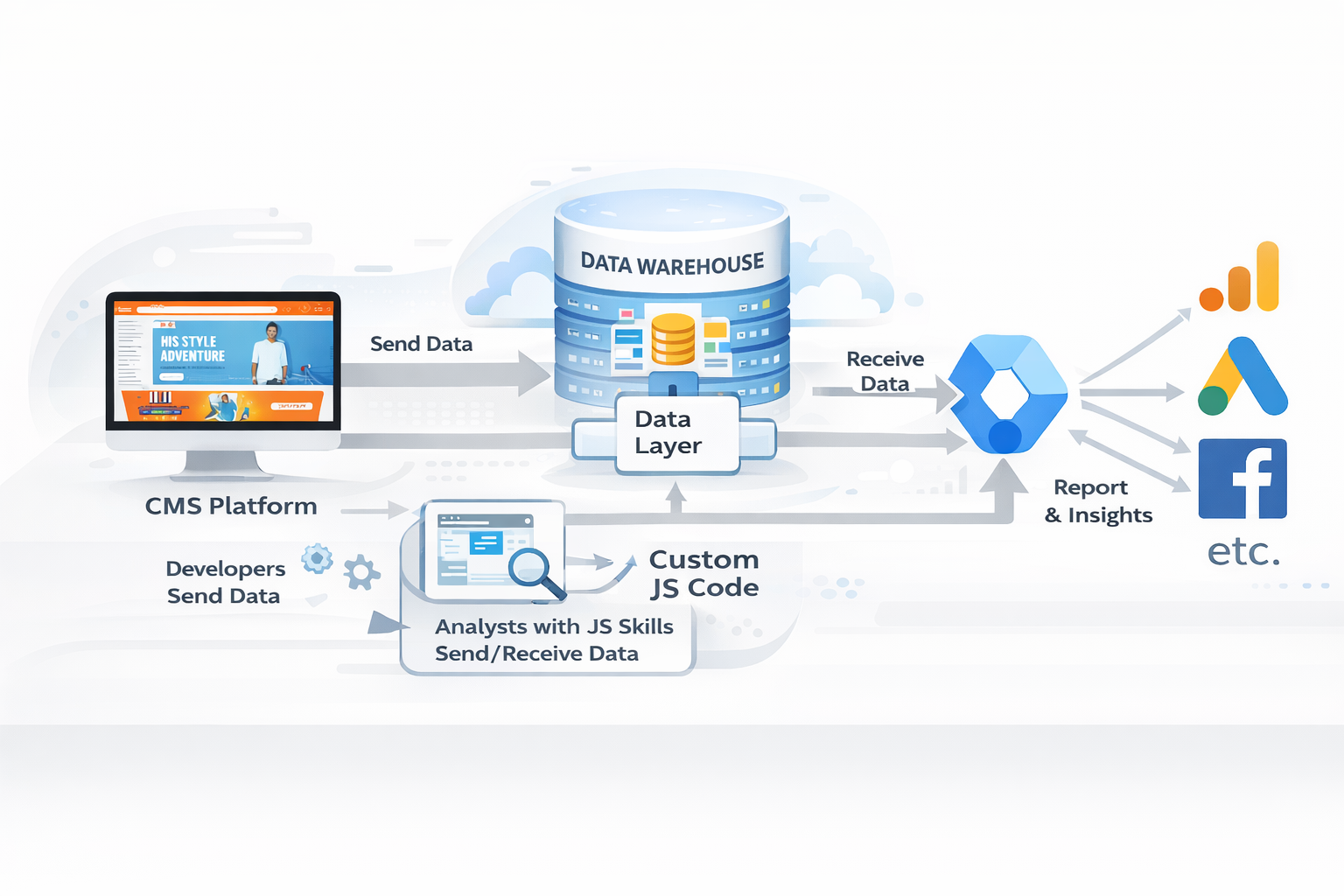
Think of a user visiting your site and opening your product page. Then your data layer will store the product’s related data, including its price, name, category, and more.
The question here is who will be responsible and how it will be implemented. To achieve this, we have two different approaches.
If your site is made under a CMS, you will get different plugins, apps, or built-in options. With these options, you can store your website data in the Dalayer. These options will help you store your website data in the Dalayer effectively when someone comes to your site and if they complete any events.
But if your site is custom-made or not made under a CMS, it will be challenging for you. During this process, you will need to consult your developer. You will need to work with your developer to create or write the complete functionality that will allow you to store events and event-related data in your data layer.
So, talk to your developer and explain that if any user visits our site and completes this type of event, the event and its related data should be stored in your data layer.
Now it is entirely your responsibility as the developer. It is your responsibility to consistently send all events and their associated data to your data layer.
So
After your developer has successfully completed the setup, you, as a marketer, should reconnect Google Tag Manager (GTM) to your website. After connecting it perfectly with your website, now Google Tag Manager will be able to collect all of the data from the data layer.
You can use GTM to create a data layer if you are familiar with JS and don’t want to ask your developer for assistance. If you want, you can talk to us; we will do it for you.
In summary, the overall data flow is as follows: first, you need to send data from your website using a plugin, an app, or a custom method. Then the data layer will store it for Google Tag Manager. After getting it perfect, now it’s time to send all of the data from the data layer to your targeted place.
Working Mechanism of Google Tag Manager and DataLayer
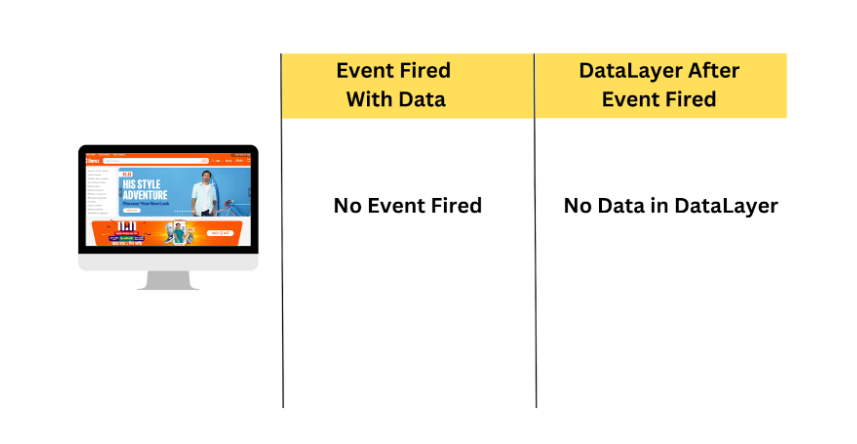
If anyone visits your store but doesn’t complete any event, your setup initially lacks any data to share. This is why the GTM data layer will not contain any data.
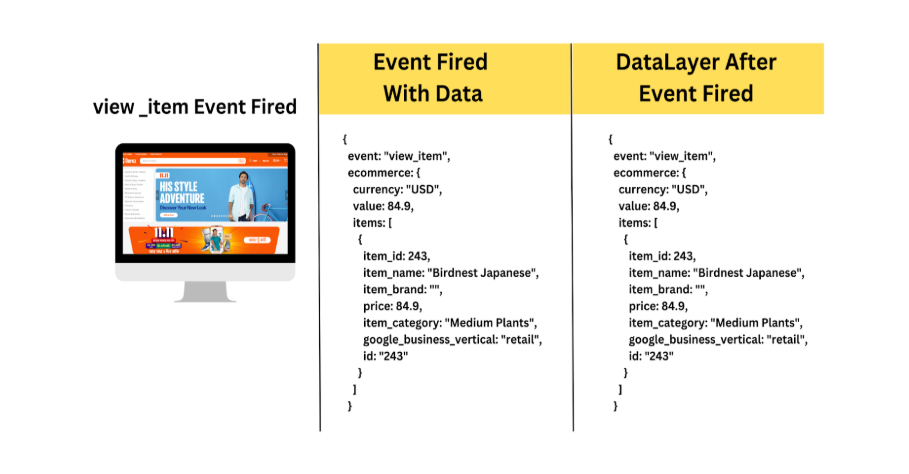
But consider this: someone has visited one of your product pages. Once the “view_item” event is complete, your setup will send the event name to your data layer. Also with the event name, your website setup will send all the related product data to your data layer. The picture illustrates this process.
Now consider an additional scenario: the same user completes another event on the same page. Then what will happen in the data layer? Do you know how you will get the data in your data layer?
Consider a scenario where the user navigates through the same page once more, triggering a new event.
At that time, your data setup will send an additional event name to the data layer. Also with the event, your setup will send the same data as before. You can check it in the picture.
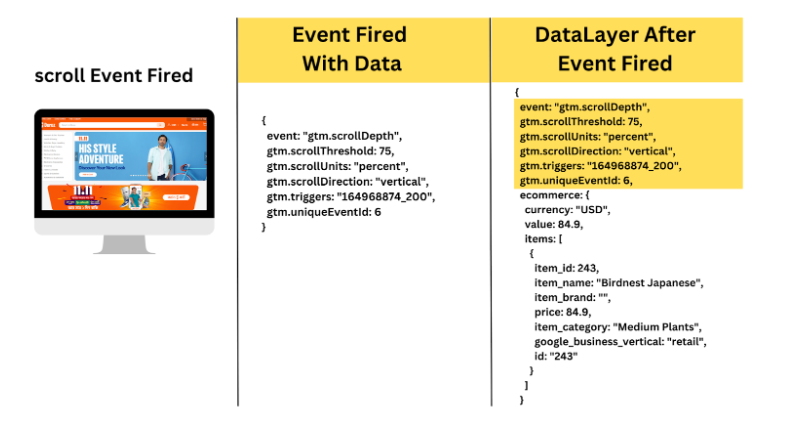
The story’s lesson is that when a user completes multiple different events on a page, the data layer will contain a variety of event names, but the data associated with each event will remain consistent for that particular page.
This describes the overall function of the DataLayer’s working mechanism. This is how the data layer operates. After each user event, you’ll get new data, but some data will always be the same.
Types of Events
Our data layer will receive a diverse range of generated events. Some events are automatically created by GTM. So in the data layer, we will get two different types of events.
- Automatic Events.
- User Events.
All of these automatic events are created by Google Tag Manager. Here is the list:
- Initialisation.
- Container loaded.
- DOM Ready.
- Window loaded.
Google Tag Manager is responsible for all these events. After all of this, other events are made by the user, like
- Page view
- View_item
- add_to_cart
- Purchase ETC.
How to collect data from the data layer?
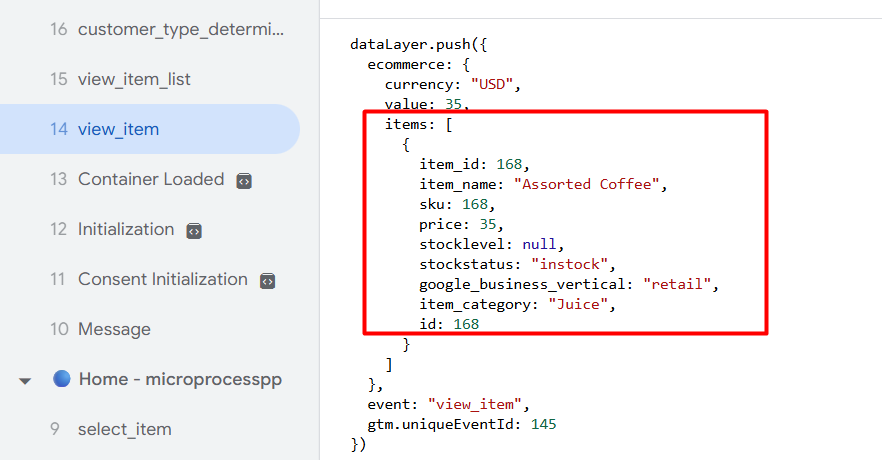
To collect event-related data from the data layer, go to your variable section and select the “Data layer variable” as your variable type.
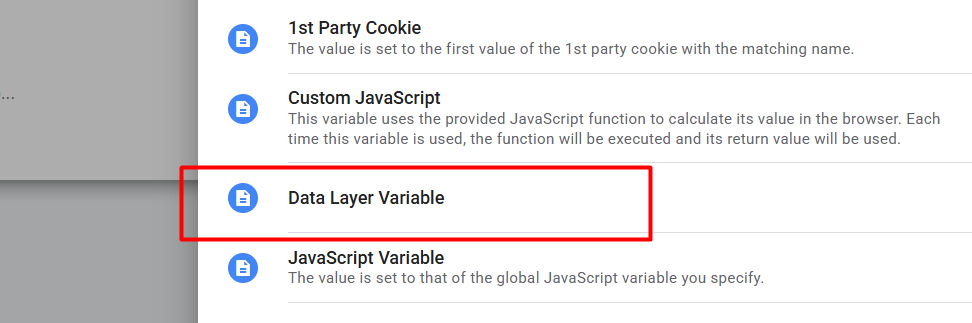
Here in the picture, you can see which one we had to select.
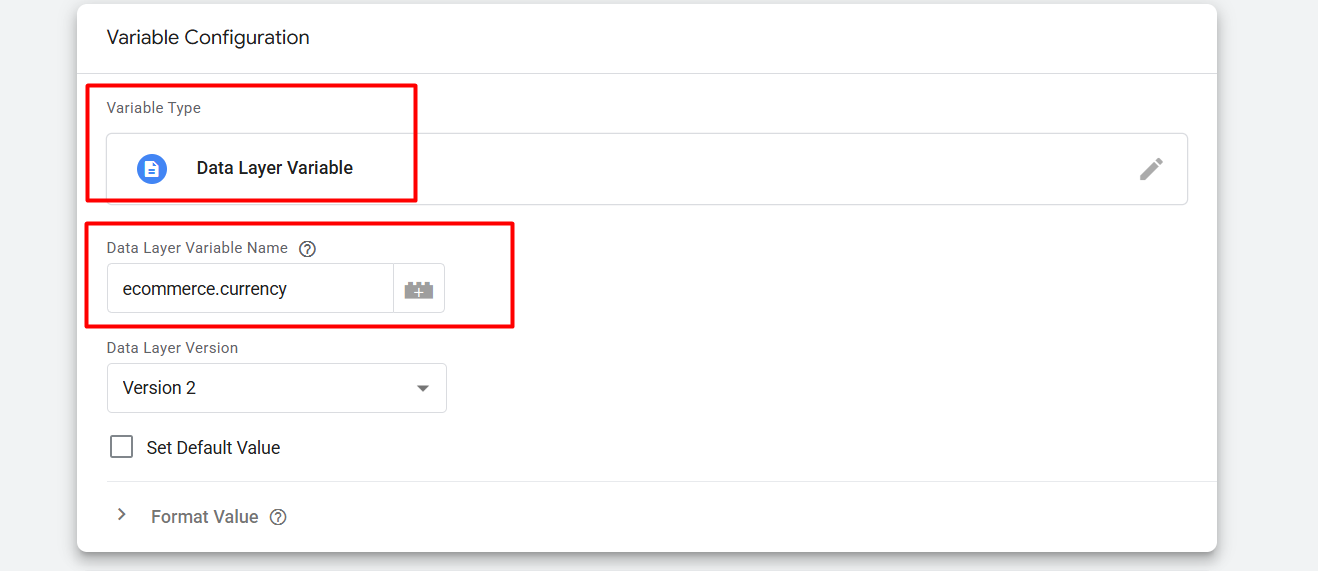
Here in the picture, you can see how we set things up. If you are unfamiliar with the topic and wish to learn more about the entire setup process, you can read this previously written article. The Clear Concept Of GTM DataLayer
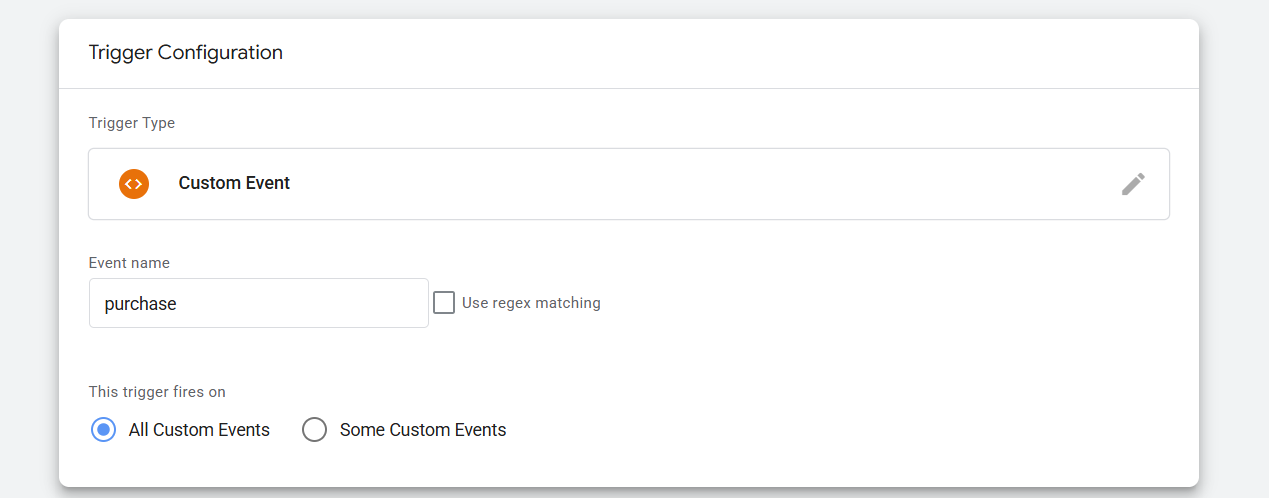
And according to the data layer, if you want to set up your trigger, then go to the trigger section and as your trigger type, select “Custom Event.” Then place the event name here in the box.
Great, today we complete the total concept of Google Tag Manager and dataLayer. In our other article, we will explain other things, and in this way, we will complete the series for GA4. But please remember to let us know if you want to know anything else from us about Google Tag Manager and DataLayer or about anything else.