
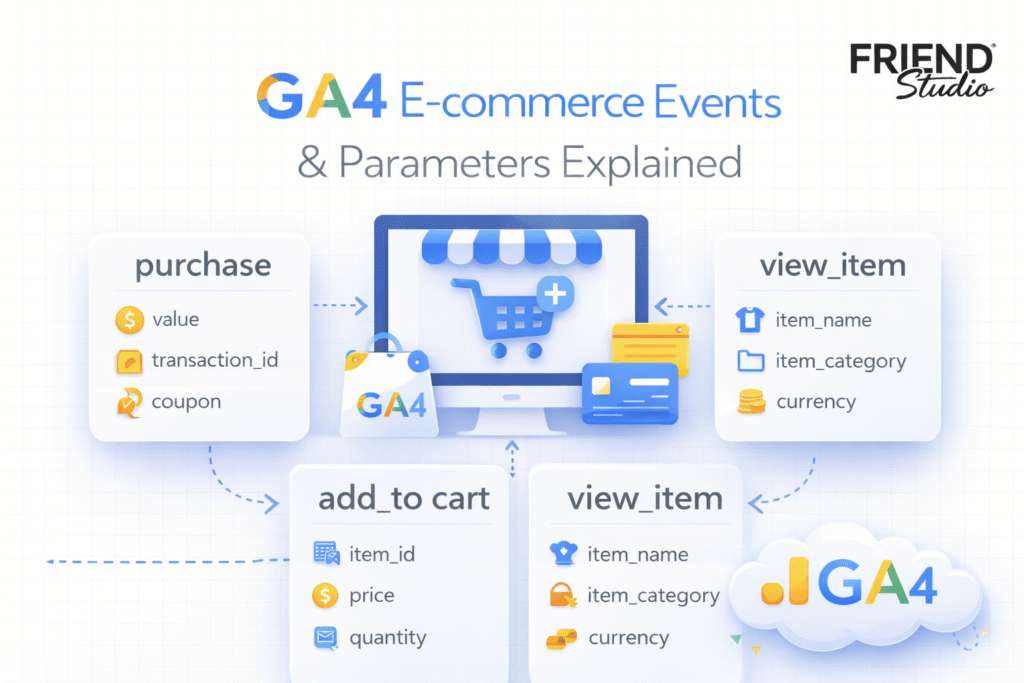
In our previous article, we explained many aspects of GA4, including how to connect it to your website. If you are not yet familiar with GA4 and Google Tag Manager, we recommend reviewing our previous article on the topic first.
Today, this article will explain all important or common events for GA4 standard e-commerce tracking. Also, with this event we will have to send a lot of different types of data, so let’s get to know about them in detail, in which way we have to send them, and who will collect which type of data.
Important events for e-commerce websites
In the time of website tracking, it’s really important to track every event perfectly. Without accurate data, our GA4 report won’t be useful. That’s why every time it’s a vital job to pick up the important events perfectly.
For an e-commerce website, we can track many different events as per our need. But today, in this article, we will just cover all of the important or common events for e-commerce tracking. So, the amount for this important or common event will be five.
- Page_view.
- View_item.
- Add_to_cart.
- View_cart.
- Begin_checkout.
- Purchase.
So let’s go for all of the next processes to see how we can complete the tracking through Google Tag Manager. But before starting the setup, let’s see which type of data we should send with all of these events.
Importance data for the event of GA4
If you could include all this data with your event, it would help ensure accurate reporting. So let’s start checking all of that one by one for your e-commerce website.
GA4 Page_view event
When someone views our website page, then we will send the page_view event to GA4. It doesn’t matter which page our traffic is opening. For every single page, we will send one page_view event in GA4. For this event, we are not going to send any parameters.
GA4 View_item event
This occurrence is one of the important events on the list. This event will trigger and go to GA4 every time someone visits our product page. Without the product page, this event shouldn’t fire. We need to send three distinct parameters for this event.
| Event Parameters | Type | Required |
| currency | String | Yes |
| value | Number | Yes |
| items | Array<Item> | yes |
Currency: With these parameters, we will get the data about the currency. It’s important because this currency will guide your entire calculation. An example of this data-sending type is the string “USD,” where you have to send the data about currency.
Value: With these parameters, we will send data about our product price or the total price of the purchased product. This parameter’s data should be in a number format for GA4.
Items: With these parameters, we will send many different types of data related to our product. For instance, we may send information such as the product name, product number, quantity, and numerous other details. We should send this data in the format of <Array>.
GA4 Add_to_cart event
This event will be counted when someone adds any products to their cart on our website. This is a really important event to track. This event is vital because it helps us understand the ratio of products in the cart to those bought. Also through this event, we can identify which products are in people’s carts, allowing us to make various types of decisions based on the report. With this event, we will also have to submit three different parameters, like view_item.
| Event Parameters | Type | Required |
| currency | String | Yes |
| value | Number | Yes |
| items | Array<Item> | yes |
View_cart
This one is also important; many business owners want to know how many people visit their cart after adding any product. So I hope you already got it that the event will trigger and GA4 will get this event every time when someone visits their cart. With this event again, we also have to send three different parameters.
| Event Parameters | Type | Required |
| currency | String | Yes |
| value | Number | Yes |
| items | Array<Item> | yes |
Begin_Checkout
This event will fire when someone visits their checkout page. This event is also crucial for an e-commerce-related business. We can make many big decisions because of this event. Many people visit the checkout page but do not complete their purchase.
With this data, we can easily determine why people are not making as many purchases as they visit the checkout page. This could potentially lead to a significant increase in the number of decisions made. With this, we also have to send four different parameters.
| Event Parameters | Type | Required |
| currency | String | Yes |
| value | Number | Yes |
| coupon | String | No |
| items | Array<Item> | Yes |
Coupon: With these parameters, you can collect which coupon your customers are using most of the time. Because as an e-commerce business, you can have a lot of different types of coupons. But if you don’t have any coupon, then you can avoid the parameters.
Purchase
The sale is the most important event for an e-commerce business. If you fail to track the purchase and the associated data, it could lead to significant issues.
Through GA4, you can understand which channels sold which types of products more than others. Furthermore, with the total sales data, you can generate many different types of reports. That’s why it’s a really important event to track. With this event we also have to send some parameters, and the total number is 7.
| Event Parameters | Type | Required |
| currency | String | Yes |
| transaction_id | String | Yes |
| value | Number | Yes |
| coupon | String | No |
| shipping | Number | No |
| tax | Number | No |
| items | Array<Item> | Yes |
At this point, you are already familiar with some of the parameters, so please proceed to discuss the new ones.
Transaction_id: Every time someone completes a purchase, a unique transaction ID is automatically generated. It is important to collect and send this transaction ID with the corresponding event data to ensure accurate tracking, reconciliation, and reporting.
Shipping and tax: You can send the shipping and tax data to GA4 if you have it, but it’s optional if you don’t. If you have it on your website, then the data layer will collect this type of value for you.
We already explained all of the common events for GA4 e-commerce tracking. Furthermore, we cover the important parameters that should go with our event whenever we set them up for GA4.
But we didn’t talk in detail about the items array. The items array is the main parameter that is going to send the most important values about our product. For e-commerce websites, we can track some more different types of events as per our needs.
Items Array for GA4
Every time, we should be careful about the item array before sending it. If the parameter fails to function perfectly, it will result in the loss of most of the data.
| Object Properties | Type | Required |
| item_id | String | Yes |
| item_name | String | Yes |
| affiliation | String | No |
| coupon | String | No |
| discount | Number | No |
| index | Number | No |
| item_brand | String | No |
| item_category | String | No |
| item_list_id | String | No |
| item_list_name | String | No |
| item_variant | String | No |
| location_id | String | No |
| price | Number | No |
| quantity | Number | No |
Here you can see we have to send a lot of different data with our items array. If we send them to GA4 perfectly, GA4 will understand our product, and we will benefit when we create the report.
But it’s not important to have all this data. You can just send the data that you have right now to your item array.
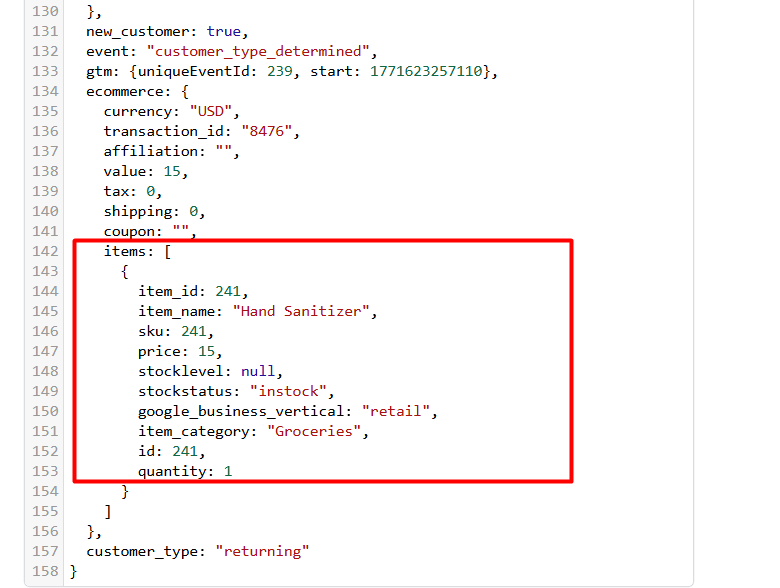
Here you can see the format of our item array. When we configure the event through the GTM with our website, we will collect all of the important data.
We will use a custom code because not all of the data is important to us, and the “item_id” is in number format. Through the custom code, we will also address it when we start collecting all of our data.
Remember to examine our site after reading the article. There everything will be beginner-friendly, but the result will be professional.